Are you looking for a simple way to grab attention and share your message? A poster could be exactly what you need.
Thank you for reading this post, don't forget to subscribe!Whether you want to promote an event, decorate your space, or spread awareness, posters are powerful tools that speak directly to your audience. You’ll discover how to create posters that stand out, catch eyes, and make your message unforgettable. Keep reading to learn the secrets behind effective posters and how you can use them to make a real impact.
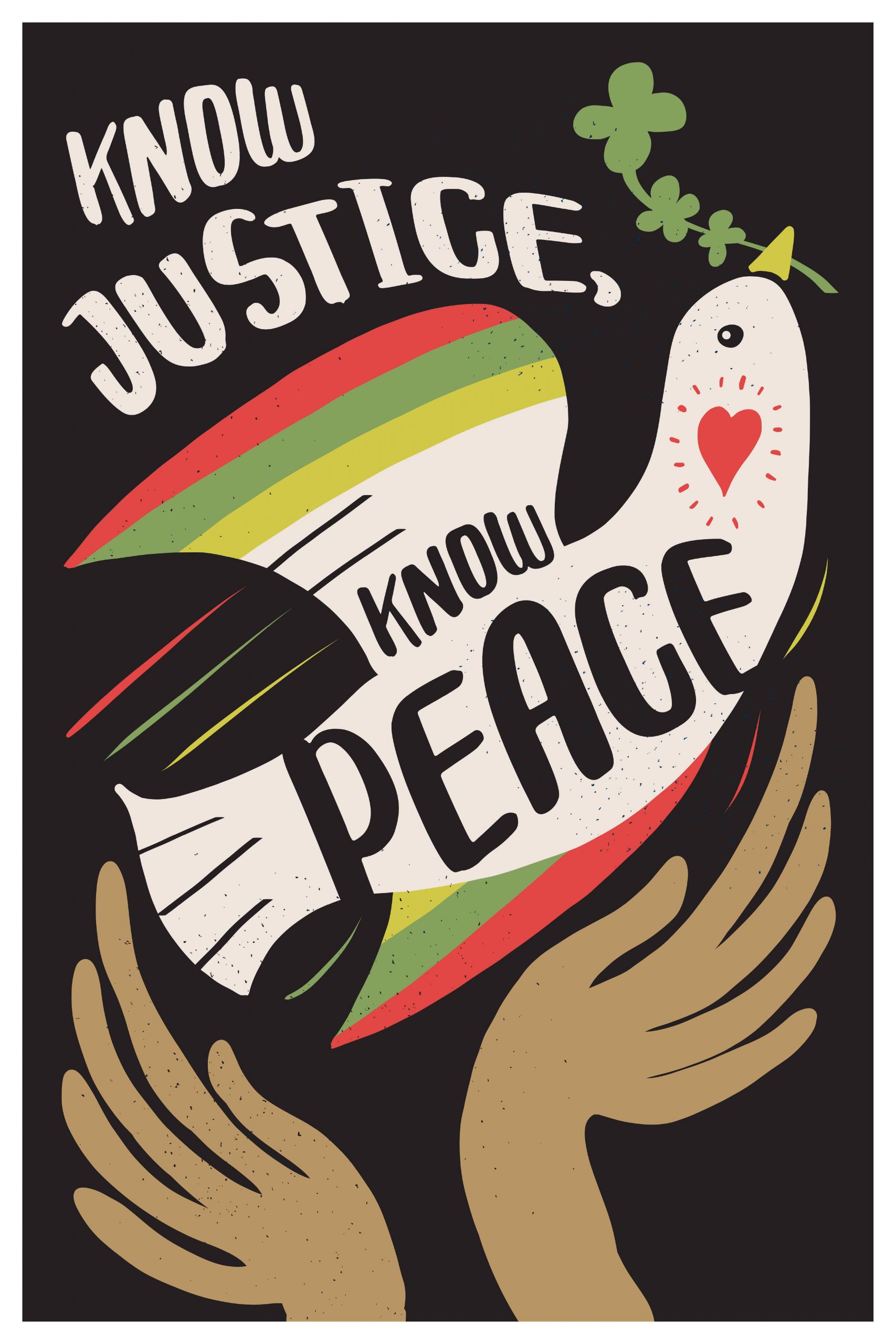
Credit: maine.aiga.org
Choose Bold Colors
Choosing bold colors for your poster makes it stand out. Bright colors catch the eye quickly. They create strong feelings and highlight key messages. Bold colors can make your poster easy to read from far away. Using the right colors helps your poster leave a lasting impression.
Use Contrasting Colors
Contrasting colors make text and images pop. Light colors on dark backgrounds work well. Dark colors on light backgrounds also attract attention. Contrast helps viewers focus on important parts fast. It improves readability and visual impact.
Pick Colors That Match Your Message
Colors can show different moods or ideas. Red can mean energy or urgency. Blue feels calm and trustworthy. Green often relates to nature or health. Choose colors that fit the message of your poster. This helps people feel what you want them to feel.
Limit Your Color Palette
Too many colors can confuse the viewer. Stick to two or three main colors. This keeps the design clean and clear. Use shades of your chosen colors for variety. A simple palette makes your poster look professional.

Credit: www.elegantflyer.com
Use Clear Typography
Clear typography is key for any poster. It helps people read your message fast. Without clear text, your poster can confuse or lose attention. Good typography makes your message strong and easy to follow.
Choosing the right font and size is important. Your text should stand out but not be hard to read. Simple fonts work best. Avoid fancy or thin fonts that blur at a distance.
Choose Readable Fonts
Pick fonts that are easy on the eyes. Sans-serif fonts like Arial or Helvetica work well. They have clean lines and no extra strokes. These fonts help viewers read your poster quickly.
Use Large Font Sizes
Make your main message big. Large text grabs attention from far away. Keep subtext smaller but still clear. Test your sizes by stepping back from the poster.
Limit Font Styles
Use one or two fonts only. Too many styles confuse the reader. Stick to regular and bold or italic for emphasis. Consistency keeps your poster looking neat.
Ensure High Contrast
Text must stand out from the background. Dark text on light backgrounds or light text on dark backgrounds works best. Good contrast improves readability in any light.
Incorporate Eye-catching Images
Images make posters come alive. They grab attention quickly and keep people interested. Using strong, clear pictures helps your message stand out. Pictures can tell a story faster than words. They create an emotional link with viewers. Bright colors and sharp images catch the eye immediately.
Choosing the right image is important. It should match the message of your poster. The image must be clear and high quality. Blurry or pixelated pictures can turn people away. Also, simple images work best. Too many details can confuse the viewer. Clean, bold images leave a strong impression.
Use High-quality Images
Always select images with good resolution. High-quality photos look professional and neat. Low-quality images appear sloppy and cheap. Clear pictures help viewers understand the message. They also improve the overall look of the poster. Use images that do not stretch or blur when resized.
Choose Relevant Visuals
Pick images that fit the poster’s theme. The picture should relate to the text or event. This connection makes the poster easy to understand. Irrelevant images cause confusion and distraction. Relevant visuals support the main idea clearly. They guide the viewer to the message fast.
Use Bold Colors And Contrast
Bright colors attract attention quickly. Use colors that stand out from the background. High contrast between text and images improves readability. Bold colors make the poster lively and fun. Avoid dull or faded colors that blend in. Strong color contrast helps key details pop out.
Keep The Design Simple
Simple images work best on posters. Avoid clutter or too many elements. Clean designs help viewers focus on the message. Use one or two main images only. Too many pictures can overwhelm and confuse. Keep the layout neat and balanced for best results.
Keep Layout Simple
Keeping your poster layout simple helps your message stand out clearly. A clean design attracts attention and makes reading easy. Avoid clutter to keep the audience focused on key information.
Simple layouts also improve the poster’s visual flow. Readers can quickly understand the purpose without feeling overwhelmed. This approach works well for all types of posters, from events to advertisements.
Use Clear Sections
Divide your poster into clear, simple sections. Each part should hold related information only. This helps readers find what they need fast. Use space wisely to separate these sections.
Limit Fonts And Colors
Choose only two or three fonts for your poster. Too many fonts cause confusion. Use colors that contrast well but stay easy on the eyes. This keeps your poster neat and readable.
Focus On Key Message
Highlight the main idea of your poster clearly. Use large text or bold fonts for important points. Keep extra details smaller or in less bold text. This guides the reader’s attention naturally.
Use White Space
White space is the empty space around elements. It prevents your poster from looking crowded. Use white space to give your content room to breathe. This makes the design feel open and organized.
Add Strong Call-to-actions
Adding strong call-to-actions (CTAs) to your poster boosts its impact. CTAs guide viewers on what to do next. They create urgency and encourage action. A clear, direct CTA makes your message powerful and effective.
Use Clear And Simple Language
Your CTA must be easy to understand. Avoid long or complex words. Short phrases like “Buy Now” or “Join Today” work best. Simple language reaches more people quickly.
Make Your Cta Stand Out
Use bold colors and large fonts for your CTA. It should catch the eye immediately. Contrast the CTA with the background for better visibility. This helps the viewer find it fast.
Create A Sense Of Urgency
Words like “Limited Time” or “Only Today” push viewers to act fast. Urgency makes people less likely to wait. This can increase response rates significantly.
Place The Cta Strategically
Position your CTA where it is easy to see. Usually, the bottom or center of the poster works well. Avoid clutter around the CTA. Clear space draws attention to the message.
Maintain Brand Consistency
Maintaining brand consistency is vital for building trust and recognition. A consistent brand helps your audience remember you easily. It creates a professional and reliable image. Posters play a key role in this process.
Every poster should reflect your brand’s colors, fonts, and style. This makes your message clear and familiar to your customers. Consistency across all posters strengthens your brand identity.
Use Consistent Colors And Fonts
Choose colors that match your brand palette. Use the same fonts across all posters. This avoids confusion and keeps your design uniform. Consistent colors and fonts make your posters instantly recognizable.
Include Your Logo Clearly
Place your logo in a visible spot on every poster. This helps people link the message to your brand. A clear logo builds brand awareness and trust.
Maintain A Uniform Message Tone
Keep your message style steady. Use the same voice and tone in all posters. This helps your audience connect with your brand’s personality. A steady tone supports brand consistency.
Follow Brand Guidelines Strictly
Stick to your brand’s rules for design and content. Avoid random changes that confuse your audience. Following guidelines ensures all posters look part of the same brand family.
Optimize For Different Formats
Creating a poster requires more than just good design. It must fit different formats well. Each format has its own size and style needs. Optimizing posters for these formats helps keep the message clear. It also improves how the poster looks on various screens and prints.
Adapting your poster makes it easy for people to see and understand. It keeps the design sharp and readable. This section explains how to adjust posters for different formats. Follow these steps to make your posters work everywhere.
Print posters need high resolution. Use 300 dpi images for clear printing. Keep colors in CMYK mode for best print results. Digital posters use RGB colors for screens. Lower resolution works for fast loading online. Design with both modes in mind if you want to use the same poster.
Social media sites have different size rules. Instagram prefers square images, 1080×1080 pixels. Facebook favors landscape, 1200×628 pixels. Twitter uses 1200×675 pixels for posts. Resize your poster to match each platform. This avoids cropping and keeps your message visible.
Mobile screens are small and vary in size. Make text large enough to read easily. Avoid cluttering the poster with too many details. Use simple layouts that adapt to screen changes. Test your design on different phones to ensure clarity.
Different uses need different file types. Save posters as PDF for printing. JPEG and PNG work well for web use. PNG supports transparency, useful for logos or icons. Keep original files editable for future changes. This saves time and effort later.

Credit: www.amazon.com
Frequently Asked Questions
What Is A Poster And Why Is It Used?
A poster is a large printed paper used to share information or promote events. It grabs attention with images and short text. Posters help communicate messages quickly to many people.
How Do I Design An Effective Poster?
Use clear, bold headlines and simple images. Keep text short and easy to read from a distance. Choose bright colors and good contrast to make it stand out.
What Are Common Types Of Posters?
Posters can be for advertising, events, movies, or education. Each type uses different styles to fit its purpose. For example, movie posters often show actors and scenes.
What Size Should A Poster Be?
Poster sizes vary, but common ones are 18×24 inches or 24×36 inches. Choose size based on where it will be displayed. Bigger posters work well in large spaces.
How Can I Print A Poster At Home?
Use a high-quality printer and thick paper for best results. Adjust printer settings for the correct size and color. Print in sections if your printer is small.
Where Should I Place My Poster For Best Visibility?
Place posters at eye level in busy areas like schools, shops, or streets. Avoid cluttered walls so your poster stands out. Good lighting also helps people see it clearly.
What Materials Are Posters Usually Made From?
Posters are often printed on glossy or matte paper. Some use waterproof or vinyl materials for outdoor use. The choice depends on how long and where the poster will be displayed.
Conclusion
Posters catch attention and share messages quickly. They work well for events, ads, or art. Bright colors and clear words make posters stand out. Keep the design simple to help people read it fast. Posters stay useful in both print and online forms.
They give ideas a strong, visual voice. Anyone can create a poster that speaks clearly. Use posters to show your message loud and clear.