


Your website’s footer content is more powerful than you might think. It’s not just the bottom part of your page—it’s a secret spot that can boost your credibility, guide visitors, and even improve your SEO.
Thank you for reading this post, don't forget to subscribe!If you want your site to feel complete and professional, paying attention to your footer is a must. Keep reading to discover simple tips and smart ideas that will turn your footer into a valuable tool for your online success.
Role Of Footer Content
The footer is a key part of any website. It appears at the bottom of every page. Many visitors check the footer for important details. It offers a place for extra information. This helps users navigate and find what they need.
Footer content supports website usability and trust. It often holds contact info, links, and legal statements. These elements build confidence in the site and brand. A well-organized footer improves user experience and site flow.
Providing Essential Contact Information
Footers display phone numbers, emails, and addresses. Visitors use these to reach the business easily. This quick access saves time and reduces frustration. Clear contact details encourage user interaction and trust.
Offering Navigation Links
Footer links guide users to key pages. Common links include About, Services, and FAQs. This helps visitors explore the site without scrolling back up. Easy navigation lowers bounce rates and keeps users engaged.
Sharing Legal And Privacy Information
Footers show privacy policies, terms, and disclaimers. These protect the website and inform users of rules. Transparency builds trust and meets legal requirements. Users appreciate clear and honest information.
Highlighting Social Media And Subscription Options
Footers often include social media icons and newsletter sign-ups. This connects visitors to the brand beyond the website. It encourages ongoing communication and builds a loyal audience. Simple access to these options boosts engagement.

Credit: jetpack.com
Key Elements To Include
The footer is the last part of your website users see. It leaves a lasting impression. A well-crafted footer guides visitors and builds trust. Including the right elements ensures your footer is useful and clear.
Below are key elements that every footer should have. They help visitors find information fast. They also improve your website’s usability and SEO.
Contact Information
Contact details make it easy for visitors to reach you. Include a phone number, email, and physical address. Clear contact info boosts credibility and trust.
Navigation Links
Links to important pages help users explore your site. Add links to About, Services, and Privacy Policy pages. Simple navigation lowers bounce rates and improves user experience.
Social Media Icons
Social icons connect visitors to your social profiles. Use recognizable icons for platforms like Facebook and Twitter. They encourage users to follow and engage with your brand.
Newsletter Signup
A newsletter form invites visitors to stay updated. Keep the form short, asking only for an email address. It helps build your email list and customer loyalty.
Copyright Notice
This shows ownership of your website content. It includes the current year and your company name. A copyright notice protects your content and adds professionalism.
Design Tips For Better Visibility
The footer is the last part of a website visitors see. It needs to stand out and be easy to read. Good design helps users find important information quickly.
Simple choices can make a big difference. Clear text, proper spacing, and smart colors improve footer visibility. These tips help create a footer that works well on all devices.
Use Clear And Readable Fonts
Choose fonts that are easy to read. Avoid fancy or script fonts. Stick to simple fonts like Arial, Verdana, or Helvetica. Use a font size that is not too small, around 14px or higher.
Choose Contrasting Colors
Colors should contrast between text and background. Dark text on a light background works well. Or white text on a dark background. This helps users read the footer without strain.
Keep The Layout Simple
Organize footer content in clear sections. Avoid clutter and too many columns. Use enough space between elements. A simple layout guides the eye easily.
Include Clear Calls To Action
Buttons and links should stand out. Use colors or borders to highlight them. Clear calls to action help users know what to do next.
Make It Mobile-friendly
Footers must look good on phones and tablets. Use responsive design to adjust layout. Text and links should remain easy to tap and read.
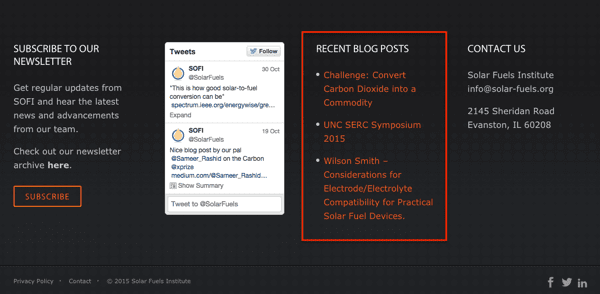
Credit: www.orbitmedia.com
Using Ctas Effectively
Footer content often holds hidden power in website design. Using calls to action (CTAs) effectively in the footer can guide visitors to take key steps. A well-placed CTA in the footer encourages users to explore more, sign up, or contact your team.
CTAs in the footer should be clear and simple. Visitors scan footers quickly. Your message must stand out without confusion. Strong CTAs in the footer boost engagement and drive results.
Keep Your Cta Clear And Direct
Use simple words that tell visitors what to do. Avoid long sentences or complex language. Examples like “Subscribe Now” or “Contact Us Today” work well. Clear CTAs remove doubt and invite action.
Use Visual Contrast To Highlight Ctas
Make your CTA button or text stand out using color. Contrast helps draw the eye to the footer action. A bright button on a dark footer or vice versa catches attention. Visual contrast improves click rates.
Limit The Number Of Ctas
Too many CTAs confuse visitors. One or two clear CTAs work best in the footer. Focus on the most important actions you want users to take. Less choice leads to better decisions.
Place Ctas Near Relevant Information
Put CTAs close to related content in the footer. For example, a “Sign Up” CTA near newsletter details. This makes the action logical and easy for visitors. Context helps users understand why to act.
Optimizing For Mobile Users
Footers must work well on mobile devices. Many users visit sites using phones or tablets. A footer that looks good on a big screen may not fit on a small screen. Mobile optimization makes footers easy to use and read on any device. This helps visitors find what they need quickly. It also improves the overall user experience.
Responsive Design For Footers
Responsive design adjusts the footer layout to fit the screen size. Text, links, and buttons resize or move for better view. This stops users from zooming or scrolling sideways. A clean, simple footer works best on mobile. Avoid clutter and keep important info visible.
Touch-friendly Buttons And Links
Mobile users tap buttons with their fingers. Small links are hard to tap and cause frustration. Make buttons big enough to touch easily. Space links apart to prevent wrong clicks. Clear and large targets improve navigation on mobile.
Fast Loading Footer Content
Mobile devices may have slower internet speeds. A heavy footer with many images or scripts can slow loading. Use lightweight images and minimal code in the footer. Fast loading footers keep users engaged and reduce bounce rates.
Prioritize Important Information
Show only the most useful info in the mobile footer. Contact details, quick links, and social icons work well. Hide less important items to save space. Clear and focused content helps mobile users find key info fast.
Incorporating Social Media Links
Social media links in the footer help visitors connect with your brand easily. They provide quick access to your profiles on popular platforms. This increases engagement and builds trust.
Placing social media links in the footer also keeps the design clean. Visitors can find them without distraction from main content. This simple addition improves user experience and site navigation.
Choosing The Right Social Media Platforms
Select platforms where your audience is most active. Focus on popular sites like Facebook, Twitter, Instagram, and LinkedIn. Avoid cluttering the footer with too many icons. Quality over quantity ensures better user interaction.
Designing Clear And Visible Icons
Use simple and recognizable icons for each platform. Make sure icons are large enough to click on easily. Keep colors consistent with your website’s theme. Clear design invites visitors to follow your profiles.
Link Placement And Accessibility
Place social media links at the footer’s bottom or corner. This location is easy to find without interrupting content flow. Ensure links open in new tabs to keep visitors on your site. Use alt text for icons to help screen readers.
Testing And Measuring Impact
Testing and measuring impact helps improve your footer content. It shows what works and what does not. You can make changes based on real data. This way, your footer becomes more useful for visitors.
Without testing, you guess what visitors want. Testing gives clear facts. It helps you understand visitor behavior and preferences. This can increase engagement and conversions.
Using Analytics Tools To Track Footer Performance
Analytics tools reveal how visitors interact with your footer. You can see clicks on links and buttons. Check which parts get attention and which are ignored. Tools like Google Analytics give detailed reports. These reports show visitor paths and time spent on footer elements.
Conducting A/b Testing For Footer Variations
A/B testing compares two versions of your footer. Show different footers to different visitors. Measure which version performs better. Test elements like text, links, colors, and layout. This helps find the best design for your goals.
Measuring Key Metrics To Understand Impact
Track metrics like click-through rates and conversion rates. Look at bounce rates and time on page too. These numbers tell how well your footer holds visitor interest. Use data to improve calls to action and content. Small changes can lead to better results.
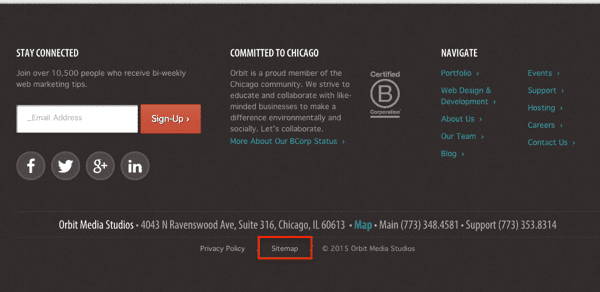
Credit: www.orbitmedia.com
Frequently Asked Questions
What Is Footer Content In A Website?
Footer content is the information placed at the bottom of web pages. It often includes contact details, links, and legal info. Footers help users find key information easily.
Why Is Footer Content Important For Websites?
Footer content improves user experience by providing quick access to important links. It also boosts SEO by adding relevant keywords and site structure. A good footer keeps visitors engaged.
What Should I Include In My Website Footer?
Include contact info, social media links, copyright notice, and privacy policy. Navigation links to main pages also help visitors. Keep it simple and useful.
How Can Footer Content Improve Seo Rankings?
Footers with keyword-rich links help search engines understand your site better. They increase internal linking, which spreads page authority. This can raise your site’s SEO ranking.
Can Footer Content Enhance Website Trustworthiness?
Yes, showing clear contact info and legal links builds trust. Visitors feel more confident when they see a professional footer. It signals transparency and reliability.
How Do I Design Footer Content For Mobile Users?
Keep footer text large and buttons easy to tap. Use a simple layout with clear links. Mobile-friendly footers improve user experience on small screens.
Should Footer Content Be The Same On Every Page?
Using consistent footer content helps users find info no matter the page. It also supports SEO with stable internal links. Minor changes can be made for specific pages if needed.
Conclusion
A well-crafted footer helps visitors find key information fast. It builds trust and guides users to important pages. Keep footer content clear and simple. Include contact details, links, and social media. Good footers improve user experience and site navigation. They support your website’s overall goals.
Small details matter in website design. A smart footer makes your site easier to use. Focus on what your audience needs at the bottom of the page.
