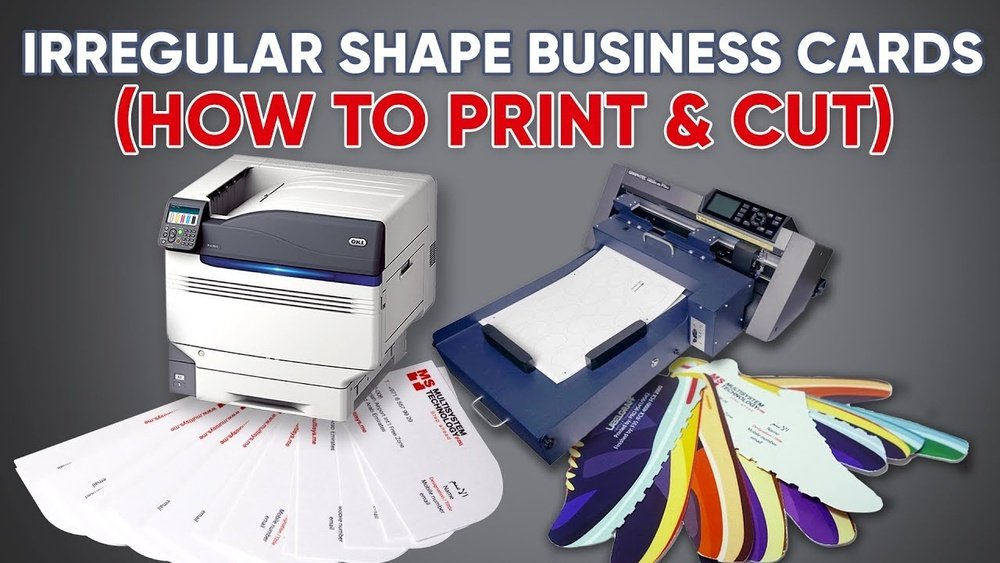
Are you looking to create professional-looking visiting cards quickly and easily? A visiting card printing and cutting machine might be exactly what you need.
Thank you for reading this post, don't forget to subscribe!Imagine having the power to print sharp designs and cut perfect edges right at your fingertips. This means no more waiting on costly services or dealing with complicated tools. You’ll discover how these machines can save you time, boost your creativity, and make your business stand out.
Keep reading to find out how you can take control of your visiting card production like a pro.
Types Of Machines
Visiting card printing and cutting machines vary by technology and function. Each type serves different printing needs and cutting precision. Understanding these machines helps in choosing the right one for your business or personal use.
Digital Printers
Digital printers are popular for fast and easy card printing. They print directly from digital files without needing plates. This method is cost-effective for small runs and custom designs. Colors come out vibrant and details remain sharp.
Offset Printers
Offset printers use plates to transfer ink onto paper. They offer high-quality prints with excellent color accuracy. Best for large print runs, offset machines reduce cost per card. Setup takes longer but results are consistent and professional.
Laser Cutters
Laser cutters use focused light to cut shapes on card stock. They create precise and clean edges that other tools can’t match. Ideal for intricate designs and unique shapes on cards. Laser cutting adds a special touch to any card style.
Die Cutting Machines
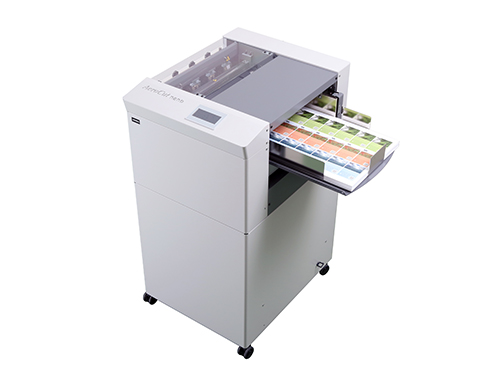
Die cutting machines use metal dies to cut and shape cards. They work well for simple shapes and repeated designs. These machines are fast and cost-effective for bulk cutting tasks. Die cutting also allows embossing for added texture.

Credit: www.whitakerbrothers.com
Key Features To Consider
Choosing the right visiting card printing and cutting machine matters. The best machine saves time and gives quality results. Some features stand out. These features affect how your cards look and how fast you make them.
Print Quality
Sharp and clear prints make cards stand out. Check the machine’s print resolution. Higher resolution means better details. Colors should be bright and true. Look for machines that handle different card materials well.
Cutting Precision
Clean cuts give cards a professional look. The machine must cut exactly along the design edges. Smooth and straight cuts avoid wasted cards. Good machines cut complex shapes with ease. Precision reduces errors and saves materials.
Speed And Efficiency
Fast printing and cutting save time. Choose a machine that works quickly without losing quality. Some machines print and cut at the same time. This feature helps in producing many cards in less time. Efficiency matters for busy offices or events.
Machine Size And Portability
Size affects where you can place the machine. Small machines fit on desks and small rooms. Portable machines are easy to move and store. Consider your workspace before choosing. A compact machine suits small businesses or home use better.
Materials Compatible With Machines
Visiting card printing and cutting machines work with many materials. Choosing the right material can affect the quality of your cards. These machines handle a variety of papers and other stocks smoothly. Understanding which materials are compatible helps you get perfect cuts and prints every time.
Paper Types
Standard paper is common for simple visiting cards. It is light and easy to cut. Matte and glossy papers add different looks. Matte paper offers a smooth, non-shiny finish. Glossy paper gives a shiny, bright surface. Both types suit most machines well.
Cardstock Variations
Cardstock is thicker than regular paper. It feels sturdy and professional. Machines can cut cardstock from 200 to 350 gsm. Textured cardstock adds a unique touch. Linen or felt textures create a luxury feel. Cardstock cuts cleanly without tearing or bending.
Specialty Materials
Some cards use specialty materials for style. Plastic sheets work for waterproof cards. Transparent and frosted plastics add modern looks. Metallic foils create shiny, eye-catching details. Machines can handle thin specialty sheets but check thickness limits. Using these materials brings creativity to your cards.
Maintenance And Troubleshooting
Maintaining your visiting card printing and cutting machine keeps it working well. Proper care reduces breakdowns and saves money on repairs. Troubleshooting helps fix small issues fast. This keeps your work smooth and efficient.
Regular Cleaning
Clean the machine after each use. Remove dust and paper scraps carefully. Use a soft cloth and mild cleaner. Avoid water or harsh chemicals. Clean the blades and rollers gently. This prevents jams and dull cuts. Regular cleaning extends the machine’s life.
Common Issues
Paper jams happen often in cutting machines. Check for stuck paper and remove it slowly. Blades may become dull or misaligned. This causes uneven cuts or tearing. Noise or vibration can signal loose parts. Tighten screws and check connections. Address problems early to avoid bigger damage.
Replacement Parts
Keep spare blades and rollers ready. Replace worn parts promptly for best results. Use parts made for your machine model. Using wrong parts can cause damage. Follow the manual to change components safely. Proper parts keep printing and cutting smooth.
Cost And Budgeting
Understanding the cost and budgeting for a visiting card printing and cutting machine helps plan your expenses well. It ensures you choose the right machine without overspending. Knowing the costs helps balance quality and price effectively.
Initial Investment
The initial investment includes the machine price and setup charges. Prices vary based on machine size, speed, and features. Small machines cost less but may handle fewer cards. Larger machines cost more but offer faster output and more options. Also, factor in software and training fees. This upfront cost is a key part of your budget.
Operating Costs
Operating costs include electricity, materials, and maintenance. Paper, ink, and cutting blades need regular replacement. Electricity use depends on machine power and working hours. Maintenance keeps the machine running smoothly and avoids breakdowns. These costs add up monthly and affect your overall budget. Planning for these helps avoid surprises later.
Return On Investment
Return on investment (ROI) shows how quickly the machine pays for itself. Selling more cards or saving printing costs speeds up ROI. A good machine boosts productivity and reduces waste. Track how many cards you print and your profit margins. A faster ROI means better business growth and financial health. Calculate ROI before buying for smarter decisions.
Credit: digitalprintfinish.com
Top Brands And Models
Choosing the right visiting card printing and cutting machine matters. The market offers many brands and models. Each machine has unique features. Some focus on speed, others on precision. Understanding top brands helps pick the best option. Quality, price, and user support differ widely. Let’s explore popular choices, customer reviews, and warranty details.
Popular Choices
Several brands stand out for quality and reliability. Roland and Graphtec are favorites among professionals. They offer precise cutting and good print results. Brother and Canon provide affordable, user-friendly models. These brands balance performance with cost. Machines like the Roland CAMM-1 series and Graphtec CE6000 are common. They handle various card materials smoothly. For smaller businesses, Brother’s compact printers work well. These popular choices suit different needs and budgets.
Customer Reviews
Customer feedback helps understand real use cases. Users praise Roland machines for accuracy and speed. Many mention easy maintenance and long-lasting parts. Graphtec models get high marks for cutting detail. Some users highlight software ease and helpful guides. Brother and Canon receive praise for affordability and simplicity. Negative reviews often mention technical glitches or slow support. Overall, most customers report satisfaction with top brands. Reviews show which machines fit casual or heavy use.
Warranty And Support
Warranty terms vary by brand and model. Roland and Graphtec usually offer 1-2 years warranty. They provide support via phone, email, and online resources. Brother and Canon offer standard 1-year coverage. Some sellers add extended warranty options. Good customer support ensures fast repairs and parts availability. Check warranty before purchase to avoid future costs. Reliable support adds peace of mind for buyers. This service aspect influences long-term satisfaction.
Tips For Effective Usage
Using a visiting card printing and cutting machine correctly saves time and improves quality. This section shares simple tips to get the best results. Follow these guidelines to make your cards look professional and sharp.
Optimizing Print Settings
Choose the right paper type in the printer settings. Adjust the print quality to high for clear text and images. Set the color mode to match your design needs. Check the alignment before printing to avoid cuts on text or logos. Use test prints to confirm settings before the final run.
Cutting Techniques
Make sure the cutting blade is sharp and clean. Use the correct cutting pressure for the card material thickness. Align the cards properly to avoid uneven edges. Cut slowly for precise shapes and smooth lines. Regularly clean the cutting area to prevent jams and errors.
Design Considerations
Keep important text away from the edges to avoid cuts. Use safe margins of at least 3mm around the design. Choose simple fonts and clear images for easy reading. Avoid very thin lines that may not cut well. Design with cutting paths in mind for smooth results.
Credit: www.youtube.com
Frequently Asked Questions
What Is A Visiting Card Printing And Cutting Machine?
A visiting card printing and cutting machine prints designs and precisely cuts cards. It streamlines production and ensures uniform quality. This machine suits businesses needing fast, professional card creation. It combines printing accuracy with efficient cutting for perfect edges every time.
How Does The Cutting Feature Improve Card Quality?
The cutting feature ensures clean, precise edges on each card. It reduces manual errors and waste. Accurate cutting enhances the card’s professional look and feel. It supports various shapes and sizes for creative designs. This leads to consistent, high-quality finished products.
Can I Print Different Designs On One Machine?
Yes, modern machines support multiple design printing. They handle various templates and customizations easily. Users can switch designs without extensive setup. This flexibility saves time and supports diverse client needs. It boosts productivity and creativity for businesses.
What Materials Work Best With These Machines?
Visiting card machines work well with cardstock, coated paper, and specialty sheets. They handle thickness ranges common in business cards. Using compatible materials ensures smooth printing and cutting. This prevents jams and maintains machine longevity. Always check machine specifications for material compatibility.
Conclusion
Visiting card printing and cutting machines save time and effort. They help create neat, professional cards quickly. Small businesses and freelancers find them very useful. These machines work with many card designs and sizes. Easy to use and maintain, they fit any workspace.
Choosing the right machine improves your card quality a lot. Investing in one boosts your business image. A smart choice for clear, sharp visiting cards every time.