You know how frustrating it can be when you try to log in to a website and hit a roadblock. Whether it’s forgetting your password or facing confusing security steps, these problems slow you down and waste your time.
Thank you for reading this post, don't forget to subscribe!But what if logging in was simple, fast, and secure every single time? You’ll discover how user login systems work and how they can be designed to protect your information without causing headaches. Keep reading to learn how you can make your login experience smooth and stress-free—because you deserve nothing less.
Credit: jetformbuilder.com
Login Methods
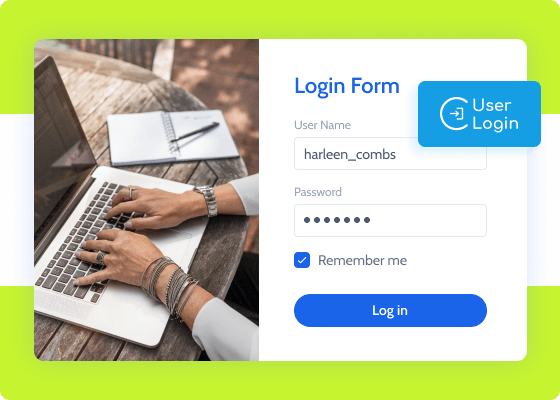
Login methods allow users to access their accounts safely. Different methods offer various levels of security and ease of use. Choosing the right login method helps protect personal data and improves user experience.
Password-based Access
Password-based access is the most common login method. Users create a secret word or phrase to enter their accounts. It is simple and fast but can be weak if passwords are easy to guess. Strong passwords with letters, numbers, and symbols improve security.
Biometric Authentication
Biometric authentication uses unique body features to verify identity. This includes fingerprints, facial recognition, or voice patterns. It is fast and hard to fake. Many smartphones and laptops now support biometric login for convenience and safety.
Two-factor Authentication
Two-factor authentication (2FA) adds an extra security step. Users enter a password and then a code sent to their phone or email. This method reduces the risk of account hacking. It combines something you know with something you have.
Credit: www.vectorstock.com
Security Best Practices
Keeping your user login safe is very important. Strong security stops hackers and protects your data. Simple steps can make your account much safer. Follow best practices to reduce risks and keep control.
Creating Strong Passwords
Use passwords with letters, numbers, and symbols. Make them at least 12 characters long. Avoid common words or easy patterns. Change passwords often to keep them fresh. Use a password manager to remember complex passwords.
Avoiding Common Threats
Watch out for phishing emails and fake websites. Do not click on suspicious links or attachments. Use two-factor authentication for extra safety. Keep your devices and software updated. Avoid using public Wi-Fi for logging in.
Regular Account Monitoring
Check your account activity regularly. Look for unknown logins or strange actions. Set alerts for new sign-ins or password changes. Report any suspicious behavior immediately. Early detection helps prevent bigger problems.
Password Management Tools
Password management tools help users keep their login information safe and easy to access. They store passwords securely and fill them in automatically on websites. These tools reduce the risk of using weak or repeated passwords. They also save time by remembering many passwords for different accounts.
Using password management tools improves online security. Users can create strong passwords without the need to memorize them. These tools work on various devices, making login simple and safe everywhere.
Password Managers
Password managers store and organize your passwords in one place. They encrypt data so only you can access it. These tools generate strong passwords to protect your accounts. You only need to remember one master password. Password managers support multiple accounts and sync data across devices.
Browser Integration
Many password managers integrate directly into web browsers. They detect login fields and fill in passwords automatically. This saves time and avoids typing errors. Browser integration also alerts users about weak or reused passwords. It works smoothly with popular browsers like Chrome, Firefox, and Edge.
Security Features
Password management tools include features to boost security. Two-factor authentication adds an extra layer of protection. Some tools monitor for data breaches involving your passwords. Alerts warn users about suspicious activity. Regular updates keep security measures up to date.
Credit: www.vuepilot.com
Single Sign-on Solutions
Single Sign-On (SSO) solutions simplify user login across multiple platforms. Users log in once and access many services without re-entering credentials. This method saves time and reduces password fatigue.
SSO improves security by limiting the number of times users enter passwords. It also helps companies manage user access more efficiently. Understanding how SSO works and its benefits is important for businesses and users alike.
How Sso Works
SSO connects multiple applications through a single login system. Users enter their credentials once on an identity provider platform. This platform confirms their identity to other connected apps.
When a user tries to access an app, the app checks with the identity provider. If the user is authenticated, access is granted without asking for a password again. This process happens quickly and smoothly.
Benefits Of Sso
SSO reduces password overload by requiring only one password. It lowers the risk of weak or reused passwords across sites. Users spend less time logging in, boosting productivity.
It also strengthens security by centralizing authentication. IT teams can quickly control access to many apps from one place. This helps in managing user permissions and compliance.
Popular Sso Providers
Many businesses choose popular SSO providers for ease and trust. Microsoft Azure Active Directory offers strong integration with Microsoft services. Google Workspace provides SSO for Google apps and beyond.
Okta is known for supporting many third-party apps and quick setup. OneLogin offers simple user management and security features. Choosing the right provider depends on the apps and needs of the business.
User Experience Tips
Good user experience in login systems helps users access accounts quickly. It reduces frustration and saves time. Clear and simple design keeps users happy and returning.
Focus on easy steps and clear options. This makes logging in smooth for everyone.
Simplifying Login Flows
Keep the login process short and clear. Ask only for necessary information. Avoid extra steps that slow users down. Use clear labels on input fields. Provide visible error messages to guide users. Simple flows reduce mistakes and improve satisfaction.
Remember Me Options
Offer a “Remember Me” checkbox for returning users. It saves time by keeping users logged in. Make it easy to find and use. Explain briefly what it does. This feature helps users avoid repeated logins on trusted devices.
Responsive Design
Ensure login pages work well on all devices. Mobile, tablet, and desktop screens must show content clearly. Buttons and fields should be easy to tap or click. Responsive design prevents frustration and supports all users. Fast loading also improves the experience.
Handling Forgotten Passwords
Handling forgotten passwords is a key part of user login systems. It helps users regain access without stress. A smooth process improves user trust and satisfaction. Clear steps and good security keep accounts safe.
Reset Process
The reset process lets users create a new password. Usually, users click a “Forgot Password” link. They enter their email or username next. Then, the system sends a reset link. Users follow the link to set a new password. This process must be quick and simple. It reduces frustration and lowers support requests.
Security Questions
Security questions add an extra layer of identity check. Users answer personal questions set earlier. Answers must be easy to remember but hard to guess. This method helps verify the user’s identity. It works well with other verification methods. Keep questions simple and clear for best results.
Email And Sms Verification
Email and SMS verification confirm the user’s identity. The system sends a code to the user’s email or phone. Users enter the code during the reset process. This step prevents unauthorized access. It strengthens security without complicating the process. Ensure messages arrive fast and clearly.
Emerging Trends
User login methods keep changing fast. New trends aim to make logging in easier and safer. These trends help reduce problems like forgotten passwords and hacking risks.
Technologies now focus on user convenience and stronger security. The goal is to protect accounts without making users wait or struggle. Here are some key trends shaping the future of user login.
Passwordless Authentication
Passwordless authentication removes the need to type passwords. Users log in using codes sent to their phones or email. Sometimes, biometrics like fingerprints or face scans replace passwords.
This method cuts down on stolen or weak passwords. It also speeds up the login process. Many companies start using this to improve user experience and security.
Behavioral Biometrics
Behavioral biometrics study how users act to confirm their identity. It checks typing speed, mouse movement, or how someone holds a device. This method works in the background without interrupting users.
It helps spot unusual behavior that might mean a hacker is trying to get in. Behavioral biometrics adds a strong layer of security. Users get protection without extra steps.
Ai In Login Security
Artificial intelligence (AI) enhances login security by detecting threats fast. AI systems analyze patterns and spot suspicious login attempts. They learn from new attacks and improve over time.
AI can decide when to ask for more verification. This keeps accounts safe while letting real users log in smoothly. AI helps balance security with user convenience.
Frequently Asked Questions
What Is User Login And Why Is It Important?
User login is a process where users enter credentials to access a system. It protects personal data and ensures only authorized users enter. This keeps accounts safe and private.
How Do I Create A Secure User Login Password?
Use a mix of letters, numbers, and symbols for your password. Avoid common words or easy patterns. Change passwords regularly to keep accounts secure.
What Should I Do If I Forget My Login Password?
Use the “Forgot Password” link on the login page. Follow the steps to reset your password via email or phone. This helps you regain access quickly.
Can I Login To Multiple Devices At The Same Time?
Many systems allow login on several devices, but some limit it. Check the service’s rules to avoid account issues. Logging in from different devices is usually safe.
How Does Two-factor Authentication Improve User Login Security?
It adds a second step, like a code sent to your phone. This makes it harder for others to access your account. It protects against password theft.
Why Does My User Login Sometimes Fail?
Login can fail due to wrong username, password, or network issues. Double-check your info and internet connection. Resetting the password often solves the problem.
How Can I Keep My User Login Details Safe Online?
Never share your password with others or write it down openly. Use strong, unique passwords for each account. Enable extra security features like two-factor authentication.
Conclusion
User login is key to safe and easy access online. Choose strong passwords and update them often. Keep your login details private at all times. Use two-step verification for extra protection. Simple steps help keep your accounts secure. Always log out on shared devices.
Good login habits protect your personal information. Stay aware and stay safe every day.