

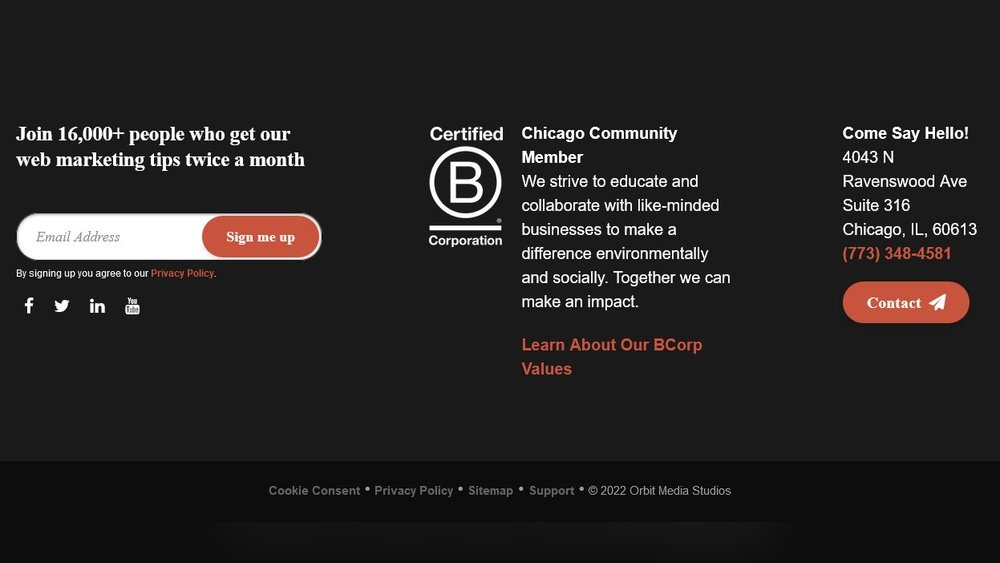
Your website’s footer content might seem like a small detail, but it plays a big role in how visitors experience your site. Imagine someone scrolling all the way down—this is your last chance to connect with them, guide them, and build trust.
Thank you for reading this post, don't forget to subscribe!If your footer is cluttered or missing key information, you could be losing valuable opportunities without even realizing it. You’ll discover how to create footer content that grabs attention, keeps visitors engaged, and drives action. Ready to make every inch of your website count?
Let’s dive in.
Credit: www.orbitmedia.com
Importance Of Footer Content
The footer content is a key part of any website. It often holds important information that visitors look for at the end of a page. A well-crafted footer helps users find what they need quickly. It also improves the overall user experience and supports website goals.
Footers are not just for contact details. They can guide visitors to other parts of the site. They can boost trust and encourage users to take action. The footer is a quiet hero on every webpage.
Seo Benefits Of Footer Content
Search engines check the footer to understand your site better. Including keywords and links in the footer helps improve rankings. It strengthens your site’s structure and boosts page authority. A clear, organized footer supports SEO efforts.
User Navigation And Accessibility
Footers provide quick access to key pages and information. They help visitors find important links without scrolling back up. This saves time and reduces frustration. A good footer improves site navigation for all users.
Building Trust And Credibility
Contact information, privacy policies, and certifications in the footer build trust. Visitors feel safer when they see clear, honest details. This encourages them to stay longer or return to the site. Trust is essential for any online business.
Contact Information Essentials
Contact information is a key part of your website footer. It helps visitors reach you easily. Clear and simple contact details build trust and improve user experience.
Visitors look for ways to ask questions or get support. A well-organized footer section makes this fast and easy. It also shows your business is open and ready to connect.
Phone Number
List a phone number that works during business hours. Use a clickable format for mobile users. This lets visitors call with one tap. Keep the number visible and easy to find.
Email Address
Provide a clear email address for questions or feedback. Use a professional and monitored inbox. Avoid generic emails like info@ unless monitored well. A direct email builds trust and speeds up replies.
Physical Address
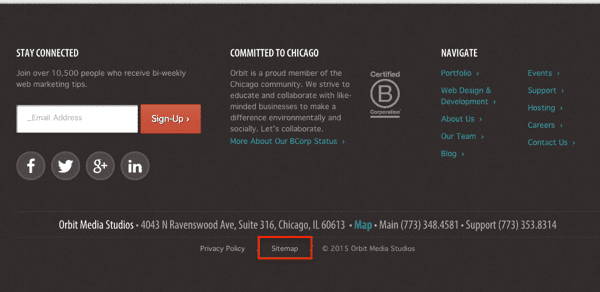
Show your business address if you have a physical location. This adds credibility and helps local visitors find you. Use a simple format with street, city, and postal code. Linking to a map is helpful too.
Business Hours
State your working hours clearly. Visitors need to know when you are available. Use simple time formats and mention time zones if needed. This prevents confusion and improves customer satisfaction.
Effective Call-to-actions
Effective call-to-actions (CTAs) in the footer guide visitors to take the next step. They make your website more interactive and help achieve your goals. A clear CTA in the footer can turn casual visitors into loyal customers or subscribers.
Visitors often scroll to the bottom of a page for extra information. The footer is a perfect place for simple, direct CTAs. These prompts should be easy to spot and understand.
Clear And Simple Language
Use short, direct words in your CTAs. Avoid complex phrases or jargon. For example, “Sign up now” works better than “Register your interest here.” Simple language helps all visitors act quickly.
Visible And Distinct Design
Make CTAs stand out with contrasting colors. Use buttons that are large enough to click easily. Place them where the eye naturally falls at the page bottom. Clear design draws attention and invites clicks.
Offer Value In The Cta
Tell visitors what they get by clicking. Examples include “Get free updates” or “Download our guide.” Showing benefits motivates visitors to respond.
Limit The Number Of Ctas
Too many choices can confuse visitors. Stick to one or two CTAs in the footer. This focus helps visitors decide quickly and reduces hesitation.
Credit: www.orbitmedia.com
Social Media Integration
Social media integration in the footer helps visitors connect with your brand easily. It keeps your audience engaged and encourages interaction beyond your website. This section of your footer can include links, icons, or feeds from social networks.
Adding social media to the footer also boosts your website’s visibility. Visitors can find your social profiles without searching hard. This makes your site user-friendly and builds trust.
Easy Access To Social Profiles
Place clear social media icons in the footer. Use simple, recognizable logos for platforms like Facebook, Twitter, and Instagram. Make sure these icons link directly to your official pages. Visitors appreciate quick access without scrolling or searching.
Show Latest Social Updates
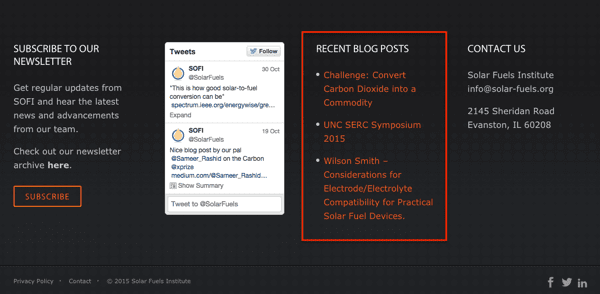
Display recent posts or tweets in the footer area. It keeps the website content fresh and dynamic. Visitors see active engagement and current news about your brand. This section adds life to the footer and invites users to follow you.
Encourage Social Sharing
Include buttons that let users share your content on their profiles. Social sharing boosts your reach and brings new visitors. Place these buttons near important links or information in the footer. It helps spread your message naturally.
Newsletter Signup Benefits
Newsletter signup sections in the footer offer real value to visitors. They create a simple way to stay connected. Visitors get updates, news, and exclusive offers straight to their inbox. This builds trust and keeps your audience engaged over time.
Having a newsletter signup in the footer is smart. It is visible on every page but not intrusive. Visitors can join anytime without interrupting their browsing. This gentle approach helps increase your subscriber list steadily.
Stay Updated With Latest News
Subscribers receive the newest updates right away. No need to search the website for news. This keeps your audience informed and interested in your content.
Access Exclusive Deals And Offers
Newsletter readers get special discounts not found elsewhere. These offers encourage signups and reward loyal visitors. It creates a sense of belonging and value.
Receive Helpful Tips And Advice
Newsletters often include useful tips related to your niche. This helps readers solve problems or learn new things. It builds authority and trust in your brand.
Easy Way To Build A Community
Regular emails create a bond with your audience. Readers feel part of a group with shared interests. This connection can turn visitors into loyal customers.
Boost Website Traffic
Newsletter links bring visitors back to your site. Each email encourages clicks on blog posts or products. This steady flow improves site ranking and visibility.
Legal And Privacy Links
Footer content often holds important legal and privacy links. These links help visitors understand website rules and their rights. They build trust and protect your site from legal issues.
Legal and privacy links are easy to find at the bottom of a page. They include key documents like terms of service and privacy policies. These pages explain how the site works and how it uses visitor data.
Terms Of Service
The terms of service explain the rules for using the website. They set clear limits on what users can do. Visitors know what to expect and what is not allowed.
Privacy Policy
The privacy policy tells visitors how their data is collected and used. It explains what personal information the site gathers. It also describes how the data stays safe and private.
Cookie Policy
The cookie policy informs users about tracking cookies on the site. It shows what cookies do and why they are important. Visitors learn how to manage or block cookies if needed.
Disclaimer
The disclaimer reduces legal risks for website owners. It clarifies the limits of the information provided. Users understand that the site does not guarantee results or advice.
Design Tips For Footers
Footers are the last part visitors see on a website. They leave a strong impression and help with navigation. Good footer design makes your site look professional and complete. It also guides users to important information quickly.
Designing a footer needs clear planning. The content should be useful and easy to read. The style must match the rest of the site. Here are some simple tips to create a great footer.
Keep It Simple And Clear
Use a clean layout with enough space between items. Avoid clutter and too many links. Focus on key information like contact details and quick links. Simple design helps users find what they need fast.
Use Consistent Colors And Fonts
Match the footer colors with your brand palette. Choose fonts that are easy to read. Keep font size slightly smaller but not too small. Consistency creates a smooth visual flow on the page.
Include Important Links
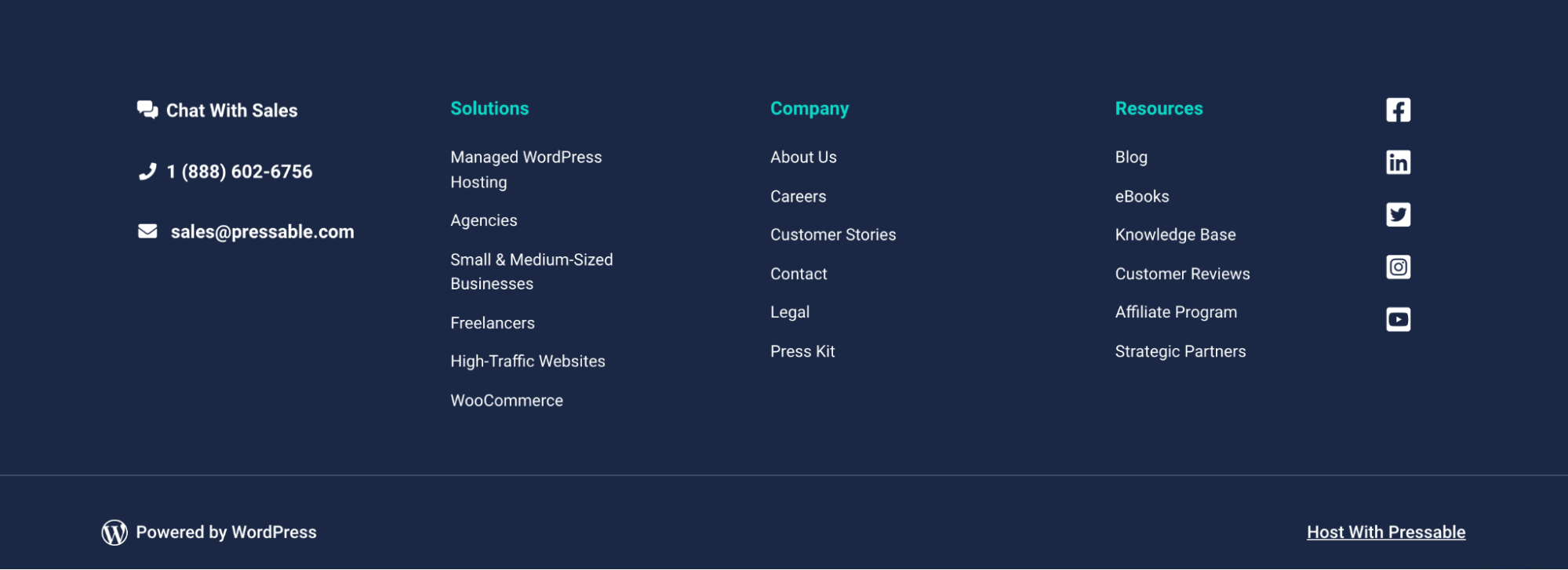
Add links to main pages like About, Contact, and Privacy Policy. Include social media icons if you have active profiles. Make sure links open in the same or new tab as needed.
Add Contact Information
Show phone numbers, email, and physical address. This builds trust and helps visitors reach you quickly. Use icons for clarity but keep them simple and small.
Make It Mobile Friendly
Check footer display on phones and tablets. Ensure text is readable without zooming. Stack elements vertically for narrow screens. A mobile-friendly footer improves user experience.
Credit: jetpack.com
Frequently Asked Questions
What Is Footer Content In A Website?
Footer content is the information placed at the bottom of a webpage. It usually includes contact details, links, and legal notices.
Why Is Footer Content Important For Websites?
Footer content helps visitors find key info quickly. It also improves user experience and site navigation.
What Should I Include In My Website Footer?
Include contact info, social media links, copyright, privacy policy, and quick navigation links. Keep it clear and simple.
How Does Footer Content Affect Seo?
Footer links help search engines understand your site structure. This can improve your website’s ranking.
Can Footer Content Improve User Trust?
Yes, clear contact info and policies in the footer build trust. Visitors feel safer sharing data.
How Do I Make Footer Content Mobile-friendly?
Use simple text and large buttons. Make sure links are easy to tap on small screens.
How Often Should I Update Footer Content?
Update footer content whenever your contact info or policies change. Check it at least twice a year.
Conclusion
Footer content plays a key role in any website’s design. It helps visitors find important information fast. Clear and simple footers improve user experience. Including contact details, links, and legal info builds trust. Keep footer content organized and easy to read.
Test your footer on different devices for best results. A well-made footer supports your site’s goals quietly. Small details in the footer make a big difference.
