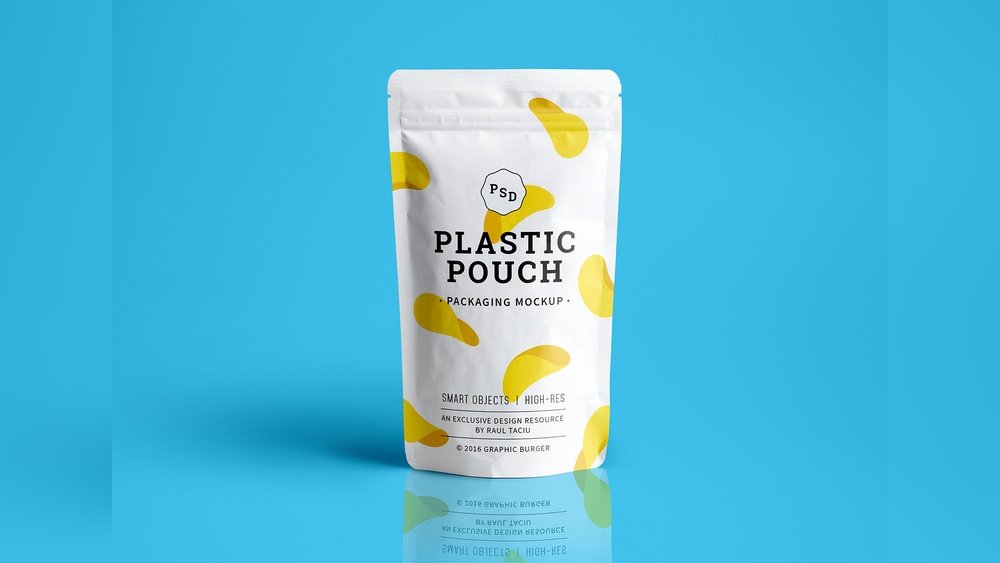
Are you looking to showcase your packaging design in the most professional and eye-catching way? A Standup Pouch Mockup PSD is exactly what you need to bring your ideas to life.
Thank you for reading this post, don't forget to subscribe!Whether you’re a designer, marketer, or brand owner, using a realistic mockup helps you visualize how your product will look on the shelf—and it grabs attention before you even print a single pouch. You’ll discover the benefits of using standup pouch mockups, how to customize them easily with PSD files, and where to find the best templates that fit your project perfectly.
Keep reading to transform your packaging presentation and make your brand stand out from the crowd.
Choosing The Right Psd Mockup
Choosing the right PSD mockup is essential for showcasing your standup pouch designs professionally. A suitable mockup helps clients visualize the final product clearly. It saves time and effort during the design presentation. Understanding key aspects of PSD mockups guides you to pick the best one.
File Compatibility And Features
Check the PSD file compatibility with your design software. Ensure it works with your Photoshop version. Look for extra features like customizable backgrounds and shadows. These elements add realism to your mockup. Some mockups include multiple angles or pouch types. This variety helps in presenting diverse design options.
Smart Object Layers
Smart Object layers simplify the design insertion process. They allow easy editing without harming the original mockup. You can quickly replace your artwork with a few clicks. This feature saves time and reduces errors. Make sure the mockup includes well-organized Smart Object layers for smooth workflow.
Resolution And Quality
High resolution is critical for sharp, clear images. It ensures your design looks professional on all screens. Low-quality mockups may appear blurry or pixelated. Choose PSD files with a resolution of at least 3000 pixels wide. This size supports detailed viewing and printing needs.
Customizing Mockups For Branding
Customizing mockups for branding is essential for creating a strong product identity. It allows you to visualize how your design will appear in real life. Using a standup pouch mockup PSD file, you can easily modify the design to fit your brand’s style. This process helps ensure your packaging looks professional and appealing.
Customization also saves time and money by showing a realistic preview before printing. It gives you control over every detail, making your packaging unique. Below are key steps to customize your standup pouch mockup for branding.
Adding Logos And Graphics
Insert your logo and any graphics into the smart object layers of the PSD file. This feature lets you position and resize your branding elements quickly. Logos should be clear and high resolution for the best appearance. Adding graphics enhances your brand message and attracts customers. Make sure your visuals match your brand colors and style.
Color Adjustments
Change the pouch colors to reflect your brand palette. Most PSD mockups include color adjustment layers or smart filters. Adjust hues, saturation, and brightness to get the perfect look. Consistent colors reinforce brand recognition and make your product stand out. Experiment with shades to find the most eye-catching combination.
Texture And Background Options
Choose textures that add depth and realism to your mockup. Matte, glossy, or embossed finishes can be simulated with layer styles. Select backgrounds that complement your packaging without distraction. Clean, simple backgrounds often highlight the pouch design best. Texture and background choices enhance the overall presentation and appeal.
Design Tips For Standup Pouches
Designing standup pouches requires careful thought to attract customers. The design must be clear and appealing on store shelves. Each element should work together to tell the product’s story. Focus on simplicity and clarity for the best impact.
Use design tips to create a balanced, readable, and colorful pouch. These tips help your product stand out and connect with buyers. Follow these guidelines to improve your packaging design effectively.
Balancing Visual Elements
Keep the design balanced by spacing images, text, and logos evenly. Avoid overcrowding any part of the pouch. Use white space to give the design room to breathe. Balance draws attention and makes the product easier to understand quickly.
Typography Choices
Choose fonts that are easy to read at a glance. Use no more than two different fonts to keep the design clean. Make sure font sizes vary to show hierarchy. The product name should be the most visible text on the pouch.
Using Colors Effectively
Use colors that match the product and brand identity. Bright colors catch the eye but do not overwhelm the design. Limit the color palette to three or four colors for harmony. Contrast colors to make important details stand out clearly.
Credit: www.pixeden.com
Sources For Free And Premium Psd Mockups
Finding the right standup pouch mockup PSD can boost your design presentation. Various sources provide both free and premium mockups. Each source offers unique features and quality levels. Exploring these options helps find the best fit for your project needs.
Top Websites For Downloads
Several websites specialize in PSD mockup downloads. Freepik offers many free and premium pouch mockups. Envato Elements provides high-quality premium mockups with unlimited downloads. Pixeden features professional PSD mockups with smart object layers. Good Mockups delivers free, easy-to-use packaging mockups. Behance and Dribbble showcase creative, designer-shared mockups for inspiration.
Evaluating Mockup Quality
High-quality mockups have clear, sharp images and editable layers. Smart object layers simplify inserting your design. Look for realistic shadows and highlights for better presentation. Check resolution to ensure print or screen quality. Read user reviews or ratings to judge usability and quality.
Licensing Considerations
Licenses define how you can use a mockup. Free mockups often allow personal and commercial use but check terms. Premium mockups usually include extended rights but confirm before purchase. Avoid mockups with unclear licenses to prevent legal issues. Always credit the creator if the license requires it.
Using Mockups In Marketing Materials
Using mockups in marketing materials helps showcase products realistically. They provide a clear idea of how the final packaging looks. Standup pouch mockup PSD files are popular for this purpose. They make it easy to present designs professionally. Marketers and designers use them to attract attention and build trust.
Presenting To Clients
Mockups help clients see the design on actual packaging. This creates a strong visual impact. Clients understand the product’s look before production. It reduces confusion and speeds up approval. Designers can easily change colors and logos in PSD files. This flexibility saves time and improves communication.
Social Media Promotion
High-quality mockups enhance social media posts. They grab attention in crowded feeds. A realistic pouch image shows product features clearly. Brands gain more likes, shares, and comments. Mockups help maintain consistent branding across platforms. They make new product launches more exciting and professional.
E-commerce Display
Online stores need clear, attractive product images. Mockups provide a clean and professional look. They show the product from different angles. This helps customers make confident buying decisions. Using mockups reduces the need for expensive photoshoots. It keeps product pages fresh and engaging.

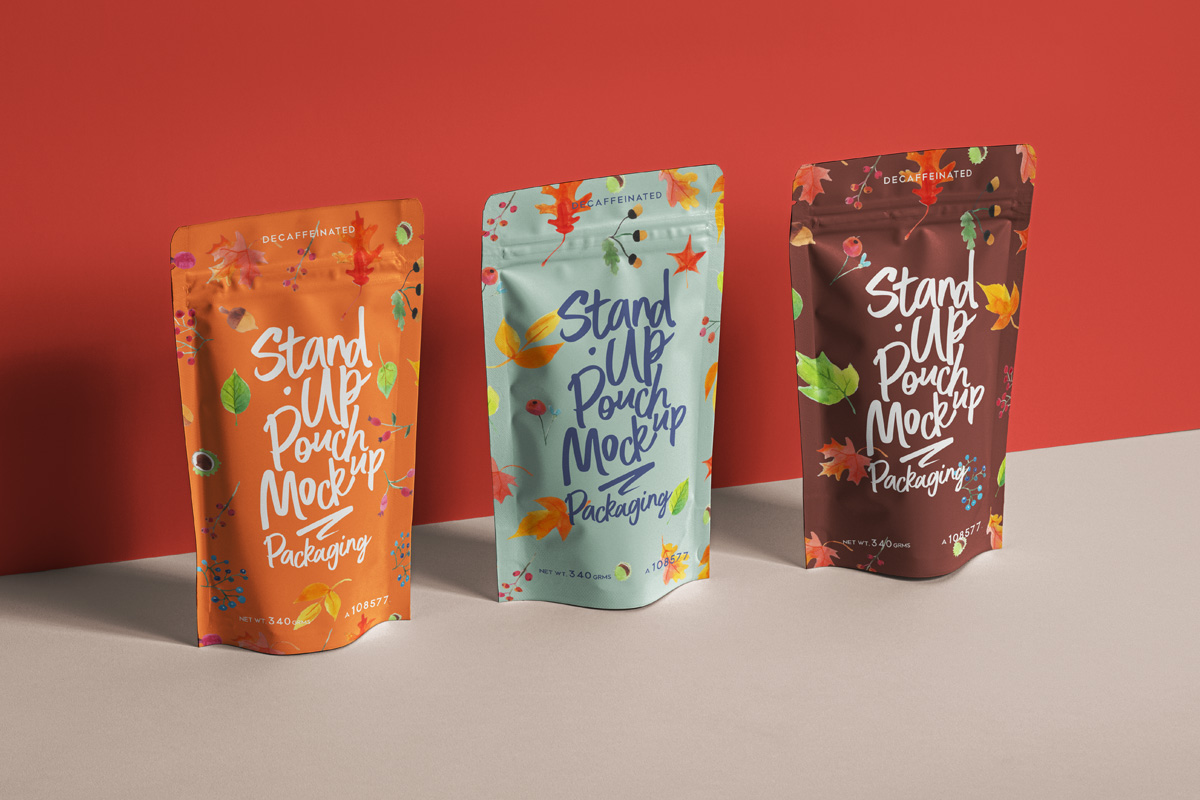
Credit: unblast.com
Common Mistakes To Avoid
Designing with a Standup Pouch Mockup PSD can be exciting but tricky. Many make avoidable errors that hurt the final look. Knowing these common mistakes can save time and improve results. Avoiding them helps create clean, professional designs. This section highlights key pitfalls to watch for.
Overcrowding The Design
Too many elements make the pouch look messy and confusing. Keep designs simple and focused. Use space wisely to highlight important parts. Crowded designs reduce readability and impact. Aim for balance between text, images, and empty space.
Ignoring Product Dimensions
Each standup pouch has unique size and shape. Designs must fit the actual pouch dimensions perfectly. Ignoring this causes distorted or cut-off graphics. Measure or check template sizes before starting. Adjust designs to match pouch height, width, and curves.
Neglecting Print Specifications
Print requirements differ from digital designs. Colors may change, and edges must have bleed areas. Forgetting print specs can cause poor quality or trimmed parts. Consult your printer’s guidelines for resolution, color mode, and safe zones. Prepare files carefully to avoid costly mistakes.
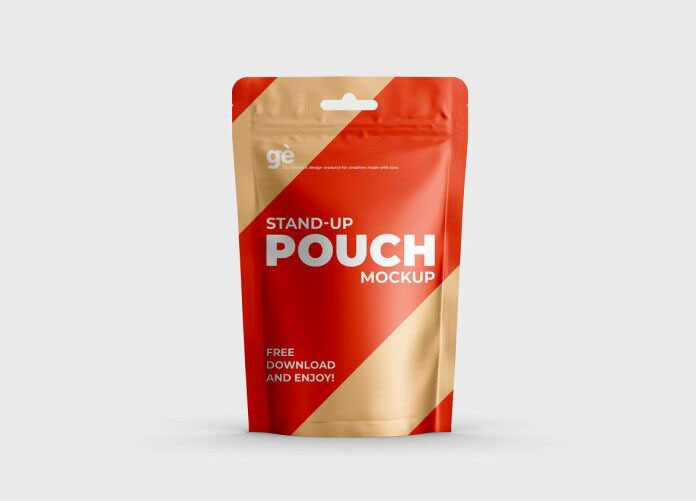
Credit: resourceboy.com
How IOKPRINT Can Help You with Standup Pouch Mockup Psd
Practical Learning with Standup Pouch Mockup PSDs
Working with standup pouch mockup PSD files offers a hands-on way to refine your design and branding skills. By customizing these mockups, you can experiment with different branding elements and gain insights into how packaging designs will appear in real-world settings. This approach complements key design tips for standup pouches, such as balancing visual appeal with functionality.
When selecting mockups, consider sources that provide flexibility in editing layers—this enables more precise customization aligned with your branding objectives. Avoid common mistakes like ignoring resolution or neglecting realistic shadows, which can affect the final presentation quality.
- Practice integrating your brand’s logo and color scheme into the mockup to see how it resonates visually.
- Use mockups as part of marketing material drafts to evaluate coherence across platforms.
- Leverage free delivery options for printed items like business cards or stickers from platforms such as IOKPRINT to complement your packaging designs.
For further guidance or resources, visiting IOKPRINT’s website can be helpful to explore related branding tools, including affordable business card printing. Engaging with these practical steps builds confidence and enhances your overall packaging design expertise.
Frequently Asked Questions
What Is A Standup Pouch Mockup Psd?
A Standup Pouch Mockup PSD is a Photoshop file template. It helps designers showcase packaging designs realistically. It includes smart layers for easy customization. This mockup is perfect for presenting branding on pouch packaging.
How To Use Standup Pouch Mockup Psd Files?
Open the PSD file in Adobe Photoshop. Locate the smart object layer. Double-click the smart object to insert your design. Save and close the smart object. The mockup will update with your design instantly.
Where To Find Free Standup Pouch Mockup Psd?
You can find free mockups on sites like Freepik, Unblast, and Pixeden. These platforms offer high-quality, royalty-free PSD templates. Always check the license for commercial use permissions before downloading.
Why Use A Standup Pouch Mockup Psd?
Using mockups helps visualize your packaging designs professionally. It saves time and cost compared to physical prototypes. It improves presentation quality for clients or portfolios. It also helps test different design ideas quickly.
Conclusion
Standup pouch mockup PSD files help showcase your designs clearly and professionally. They save time by allowing easy editing with smart layers. Using these mockups improves your packaging presentation and attracts more attention. Choose high-quality mockups to make your product stand out.
Try different styles to find the best fit for your brand. Overall, standup pouch mockups are practical tools for designers and marketers alike.