
Looking for a simple yet powerful way to showcase your business or event? A trifold brochure might be just what you need.
Thank you for reading this post, don't forget to subscribe!It’s a compact, easy-to-carry tool that can grab attention and share your message clearly. Imagine handing your audience something they can hold, read, and remember—all in one neat package. You’ll discover how a trifold brochure can boost your marketing efforts and tips to make yours stand out.
Ready to make your message impossible to ignore? Let’s dive in.

Credit: www.freepik.com
Choosing The Right Layout
Choosing the right layout for a trifold brochure is important. It helps organize information clearly. A good layout guides readers through your message smoothly. It also makes your brochure look professional and neat.
Different layouts suit different purposes. Some focus on images, others on text. The right choice depends on your content and audience. Think about what you want to highlight and how much space you need.
Understanding The Panel Structure
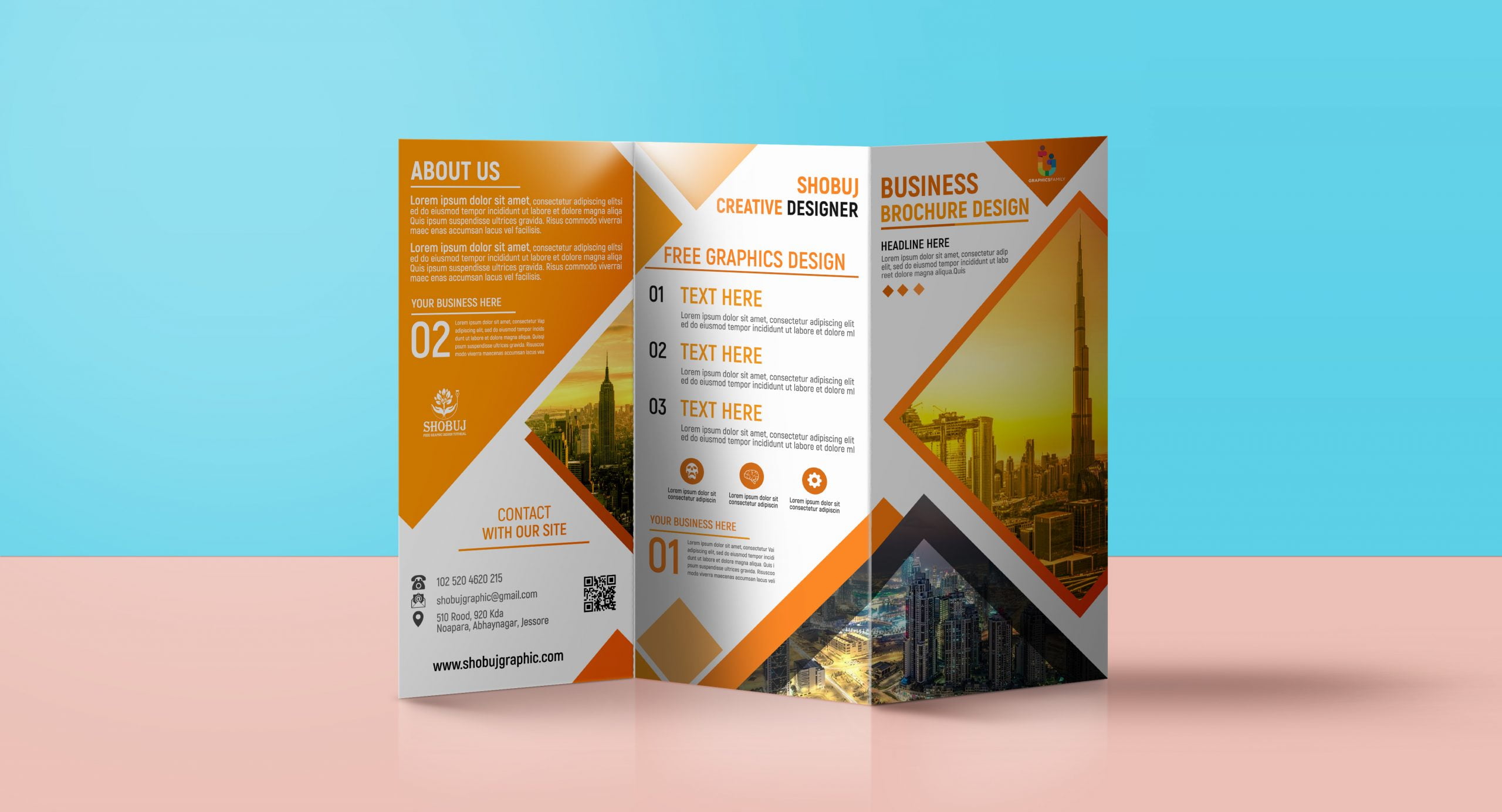
A trifold brochure has three panels on each side. Each panel can hold text, images, or both. The front panel usually acts as the cover. It should grab attention quickly. The inside panels hold the main details. The back panel often contains contact info or a call to action.
Balancing Text And Images
Use images to support your message, not overpower it. Too many pictures can distract readers. Too much text can seem boring. Find a balance that keeps readers interested. Large images with short captions work well. Clear headings and bullet points help readers scan easily.
Choosing A Flow That Makes Sense
Arrange information in a logical order. Start with an introduction or headline. Then explain your product or service. Follow with benefits or features. End with how to contact or buy. A natural flow makes reading easy and enjoyable.
Selecting Effective Color Schemes
Selecting the right color schemes is key for a trifold brochure. Colors catch attention and set the mood. They can guide the reader’s eye through the content. Choosing effective colors helps make the brochure clear and appealing.
Colors also show the brand’s personality. The right palette makes the brochure look professional. Poor color choices can confuse or distract readers. Understanding color basics improves design quality.
Understanding Color Psychology
Colors affect feelings and decisions. Blue feels calm and trustworthy. Red creates energy and excitement. Green links to nature and health. Choose colors that match your message and brand.
Think about what feeling to share. Warm colors bring warmth and action. Cool colors relax and soothe. Match colors to the brochure’s goal for best results.
Choosing A Balanced Palette
Balance is important for easy reading. Use one main color and one or two accents. Too many colors make the brochure look messy. Stick to three or four colors max.
Use contrast for text and background. Dark text on a light background works well. Avoid colors that clash or blend too much. A balanced palette guides the reader smoothly.
Considering Brand Colors
Brand colors create recognition and trust. Use your brand’s main colors in the brochure. Keep consistency across all marketing materials. It builds a strong, unified look.
If the brand colors are bright, use neutral colors to balance them. This keeps the brochure attractive without overwhelming readers.
Testing Colors On Different Devices
Colors look different on screens and print. Test your brochure colors on various devices. Check for brightness and color accuracy. Adjust colors if they appear too dark or faded.
Print a sample copy to see real colors. This helps avoid surprises and ensures quality.
Crafting Compelling Headlines
Crafting compelling headlines is key to a successful trifold brochure. The headline grabs attention and invites readers to learn more. It sets the tone for the entire brochure and guides the reader’s focus.
A strong headline makes your message clear and interesting. It should speak directly to the reader and highlight the main benefit or idea. Short, sharp, and simple headlines work best for trifold brochures.
Use Clear And Direct Language
Headlines must be easy to understand at a glance. Avoid complicated words or long phrases. Use words that quickly explain what the brochure offers. Clear language helps readers decide to keep reading.
Focus On The Reader’s Needs
Think about what the reader wants or needs. Address their problem or desire in the headline. Show how your product or service can help them. This creates a connection and encourages interest.
Create A Sense Of Urgency
Adding urgency can make readers act fast. Use words that suggest limited time or availability. This pushes readers to pay attention and take action quickly. Urgency turns interest into response.
Keep It Short And Impactful
Short headlines are easier to read and remember. Aim for five to seven words if possible. Strong action verbs and clear benefits make headlines stand out. A brief headline fits well in the small space of a trifold panel.

Credit: www.vecteezy.com
Using High-quality Images
Using high-quality images makes a trifold brochure stand out. Clear and sharp pictures grab attention and keep readers interested. They help explain your message without many words. Low-quality images look blurry and unprofessional. That can turn readers away and hurt your brand’s image.
Choosing the right images also helps guide the reader’s eye through the brochure. Good photos create a flow that makes the brochure easier to read. They show details that text alone cannot convey. This makes your message stronger and clearer.
Choosing The Right Resolution For Print
Print brochures need images with high resolution. At least 300 dots per inch (DPI) is best. This ensures pictures look sharp and detailed on paper. Low DPI images appear fuzzy and pixelated. Always check image resolution before using it in your brochure.
Using Relevant And Clear Images
Select pictures that match your brochure’s topic. Avoid generic or unrelated photos. Clear images help readers understand your message quickly. They also build trust and show professionalism. Use photos that tell a story or show your product in use.
Optimizing Image Size For Fast Printing
Large image files can slow down printing or cause errors. Resize images to the correct dimensions before adding them. Keep file size balanced—big enough for quality, small enough for smooth printing. This saves time and reduces printing costs.
Enhancing Images With Simple Editing
Basic editing improves image quality without overdoing it. Adjust brightness, contrast, and color balance to make photos pop. Crop images to focus on important parts. Avoid heavy filters that make pictures look fake or distracting.
Balancing Text And White Space
Balancing text and white space is key in a trifold brochure design. It helps readers focus on the main message. Too much text can overwhelm, while too much white space may look empty.
White space is the empty area around text and images. It gives the eyes a place to rest. Proper use of white space improves readability and makes the brochure look clean.
Text should be clear and concise. Short sentences and bullet points work well. This balance keeps readers interested and makes the brochure easy to scan.
Understanding The Role Of White Space
White space separates different sections of the brochure. It prevents the design from feeling crowded. It also guides the reader through the content naturally.
Using white space around headings and images highlights them. It helps important information stand out. This makes the brochure more attractive and easier to read.
Keeping Text Clear And Concise
Use short sentences to deliver your message fast. Avoid long paragraphs that scare readers away. Bullet points and lists break down information nicely.
Choose simple words that everyone understands. Clear text keeps readers engaged longer. This approach makes your brochure more effective.
Finding The Right Balance
Balance text blocks with white space evenly. Too much text can cause readers to skip sections. Too much white space might make the brochure seem empty.
Test different layouts to see what looks best. Ensure the brochure feels inviting and easy to follow. This balance improves both design and communication.
Incorporating Clear Calls To Action
Incorporating clear calls to action (CTAs) in a trifold brochure guides readers toward the next step. CTAs tell people what to do after reading the brochure. They help increase responses and make the brochure effective.
Effective CTAs stand out and are easy to understand. They motivate readers without being pushy. Placing CTAs in the right spots improves engagement and drives results.
Use Simple And Direct Language
Keep CTA text short and clear. Use action words like “Call,” “Visit,” or “Buy.” Avoid complex words or phrases. Clear language helps readers act quickly.
Make Ctas Visually Distinct
Use contrasting colors and bold fonts for CTAs. This draws attention immediately. Avoid blending CTAs with other text or images. A distinct look makes CTAs easy to find.
Place Ctas Strategically
Put CTAs where readers finish a section or page. The end of each panel is a good spot. This placement feels natural and prompts action. Avoid overcrowding the brochure with too many CTAs.
Offer A Clear Benefit
Explain what readers gain by taking action. Use phrases like “Get a free quote” or “Save 20% today.” Benefits encourage readers to respond faster. Focus on what matters to your audience.
Choosing The Best Paper And Finish
Choosing the best paper and finish for a trifold brochure affects its look and feel. It impacts how people see your message. The right choice makes your brochure stand out. It also matches your brand and budget.
Paper type and finish change how your brochure feels in hand. They affect color, texture, and durability. Picking the best options helps your brochure look professional and last longer.
Types Of Paper For Trifold Brochures
Coated paper is smooth and shiny. It makes colors bright and clear. It works well for images and photos. Uncoated paper feels rough and natural. It gives a matte look and soft touch. It suits simple, text-heavy designs. Thick paper feels strong and high-quality. Thin paper is lighter and cheaper but less durable.
Popular Finishes And Their Benefits
Glossy finish makes colors pop and adds shine. It looks vibrant and eye-catching. Matte finish reduces glare and gives a soft look. It feels smooth and less flashy. Satin finish offers a balance between gloss and matte. It looks elegant and smooth to touch. Textured finishes add unique feel and style. They create a special impression on readers.
How Paper And Finish Affect Printing Quality
Paper and finish impact ink absorption and clarity. Glossy papers show sharper images and bright colors. Matte papers reduce reflections but soften colors. Thick papers prevent ink bleed and wrinkles. Thin papers risk smudging and tearing. A good finish protects the print from damage. It keeps the brochure looking fresh longer.
Credit: graphicsfamily.com
Frequently Asked Questions
What Is A Trifold Brochure Used For?
A trifold brochure is used to share information about a business or event. It fits many details in a small space. People often use it for marketing or instructions.
How Many Panels Does A Trifold Brochure Have?
A trifold brochure has three panels on each side. This makes six sections in total to add content. It folds twice to create a compact design.
What Size Is A Standard Trifold Brochure?
The standard size is usually 8. 5 by 11 inches. This size fits well in hands and mailboxes. It is easy to print and fold.
What Content Should Go Inside A Trifold Brochure?
Include key points like benefits, features, and contact info. Use short sentences and bullet points for clarity. Add images to make it more attractive.
How To Design A Trifold Brochure Effectively?
Use clear headings and keep text simple. Balance images and text for easy reading. Stick to two or three colors to stay neat.
Can A Trifold Brochure Be Printed At Home?
Yes, you can print it at home with a good printer. Use thick paper for best results. Make sure to fold carefully along the lines.
Why Choose A Trifold Brochure For Marketing?
It is affordable and easy to distribute. It shows a lot of info in a small space. Many people like its neat and organized look.
Conclusion
A trifold brochure shares your message clearly and simply. It fits important information in small, neat sections. People can easily carry and read it anytime. Good design helps catch attention fast. Use clear words and nice images to make it stand out.
This brochure style works well for many businesses and events. Try it to show what you offer in a smart way. A well-made trifold brochure can make a strong impression. Simple, clear, and easy to use.
