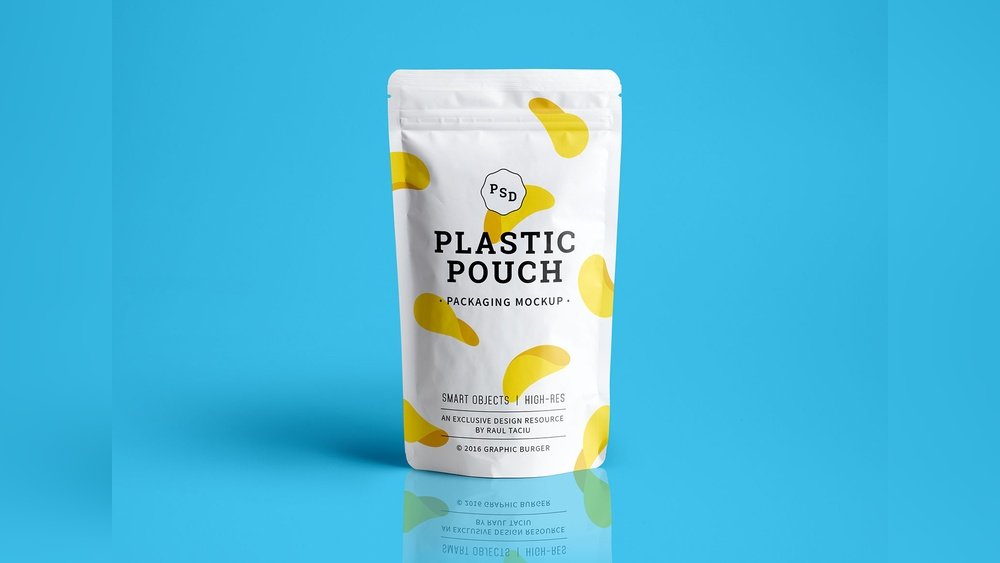
Looking to showcase your product packaging in a professional and eye-catching way? A standup pouch mockup can be your secret weapon to impress clients, boost your brand, and visualize your design before printing.
Thank you for reading this post, don't forget to subscribe!And the best part? You don’t have to spend a dime. With free standup pouch mockups available online, you can easily create realistic presentations that highlight every detail of your packaging. Whether you’re a designer, entrepreneur, or marketer, these free tools let you customize and preview your pouch designs quickly and effortlessly.
Keep reading to discover the top sources for high-quality, free standup pouch mockups that will elevate your packaging game without breaking your budget.
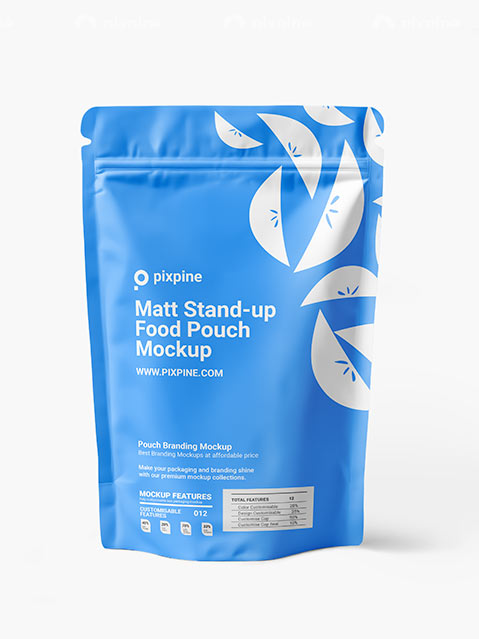
Credit: pixpine.com
Top Free Standup Pouch Mockup Sources
Standup pouch mockups help showcase product packaging clearly and attractively. Using free mockups saves time and money for designers and businesses alike. These sources provide high-quality, easy-to-edit files perfect for presentations or online stores.
Each site offers a variety of styles and formats. You can find PSD files, transparent PNGs, and customizable designs. These mockups work well for food, cosmetics, and other packaged goods.
Pacdora
Pacdora offers a wide range of standup pouch mockups. The designs are simple and clean, making customization fast. Users can quickly create realistic presentations with layered PSD files. Their library is free to access and easy to use.
Freepik
Freepik features many free standup pouch mockup vectors and PSDs. The files come with high resolution and clear details. You can use them commercially without worries. This site suits users needing diverse and stylish packaging visuals.
Good Mockups
Good Mockups provides a free standing plastic pouch packaging PSD. The mockup is editable and shows the pouch in a natural position. It fits well for food and cosmetic packaging designs. The download is simple and fast.
Mockey
Mockey offers free pouch mockups in various materials like fabric and plastic. The mockups come in PNG format for easy editing. It is useful for branding projects needing realistic, professional images. Mockey’s selection fits many product types.
Unblast
Unblast shares a free standup pouch packaging mockup in PSD format. This mockup features a clean and modern look. It is perfect for showcasing product designs with shadows and reflections. Easy to customize layers speed up the design process.
Behance
Behance hosts creative standup pouch mockup projects from designers worldwide. Many are free to download and use commercially. The variety includes matte, glossy, and kraft paper pouch styles. Behance is ideal for inspiration and fresh mockup ideas.
Mockuptree
Mockuptree provides free stand plastic pouch mockups with a professional finish. The PSD files have smart objects for quick editing. These mockups enhance packaging presentations with realistic textures and lighting. Suitable for multiple product categories.
Resource Boy
Resource Boy offers the best free pouch mockup templates available online. All PSD files are editable and free for commercial use. The site’s collection focuses on quality and versatility. Perfect for designers seeking reliable mockup resources.
Vecteezy
Vecteezy hosts free kraft pouch mockup photos and images. These are useful for natural and eco-friendly product packaging. The images come in high resolution and easy-to-edit formats. Ideal for brands promoting sustainability and organic products.
Key Features Of Standup Pouch Mockups
Standup pouch mockups offer a realistic preview of packaging designs. They help visualize the product’s look before final production. These mockups save time and costs in design adjustments.
Key features make these mockups useful for designers and brands. They ensure accuracy and ease of use. Below are the main features of standup pouch mockups.
High-resolution Quality
Mockups come in high resolution for clear details. Sharp images show every design element accurately. This quality helps present professional packaging visuals.
Easy Customization
Users can change colors, logos, and text easily. Layers in PSD files allow quick editing. This flexibility suits different branding needs.
Realistic Shadows And Reflections
Natural shadows and reflections add depth to the mockup. They make the pouch look three-dimensional. This realism helps clients imagine the final product.
Multiple Angles And Views
Mockups include front, back, and side views. Various angles show the pouch design from all sides. This feature gives a complete look at the packaging.
Transparent Backgrounds
Many mockups have transparent backgrounds. This allows placing the pouch on any backdrop. It suits website displays and presentations.
Free And Easy To Download
Many standup pouch mockups are available for free. Quick download options make them accessible. Designers can start working immediately without cost.
Customizing Mockups For Unique Designs
Customizing mockups transforms simple designs into unique visual presentations. Standup pouch mockups allow creative freedom to showcase products effectively. Tailoring these mockups helps brands stand out in competitive markets.
Adjust colors, add logos, and modify backgrounds easily. This personalization gives a realistic preview of the final packaging. Designers and marketers save time and costs by testing ideas virtually.
Editing Colors And Textures
Colors influence how consumers perceive products. Change pouch colors to match brand identity quickly. Experiment with matte, glossy, or metallic textures for different effects. These edits bring mockups closer to actual packaging materials.
Inserting Custom Logos And Graphics
Adding logos personalizes the pouch design. Place graphics accurately to show brand placement clearly. This step highlights brand recognition and product appeal. High-quality images maintain professionalism in presentations.
Adjusting Shadows And Lighting
Realistic shadows create depth and dimension. Modify lighting angles to enhance pouch visibility. Proper lighting showcases design details vividly. These tweaks make mockups more attractive and believable.
Changing Backgrounds And Contexts
Backgrounds set the scene for the pouch design. Use simple or themed backgrounds to fit marketing goals. Contextual backgrounds help visualize product use environments. This approach builds stronger connections with target audiences.
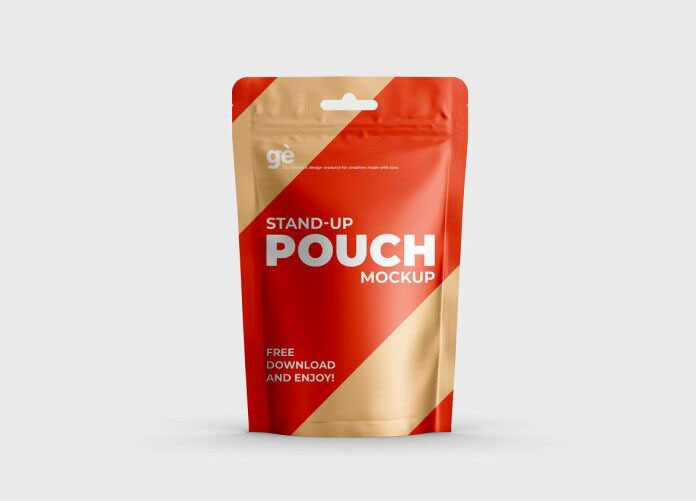
Credit: resourceboy.com
Using Psd And Png Formats Effectively
Standup pouch mockups come in PSD and PNG formats. Each format serves a unique purpose for designers and marketers. Understanding how to use them improves your workflow and final presentation.
PSD files are layered and editable. PNG files are ready-to-use images with transparent backgrounds. Knowing when to use each format helps you work faster and produce better results.
Using Psd Files For Customization
PSD files allow full control over design elements. Layers can be edited, moved, or hidden easily. This flexibility lets you change colors, logos, and text on the pouch mockup.
Designers can add shadows, highlights, or textures. PSD files work best with Adobe Photoshop or similar software. They offer a way to create realistic, detailed packaging visuals.
Using Png Files For Quick Presentation
PNG files are perfect for quick previews and presentations. They have transparent backgrounds, so placing the pouch over any backdrop is simple. No software needed to make changes.
Marketers use PNG mockups to show products in catalogs or websites fast. These files are smaller and load quickly. Ideal for sharing on social media or email campaigns.
Combining Psd And Png For Best Results
Start with PSD files to create or modify your design. Save your work and export a PNG version for easy use. This method blends detailed editing with simple display.
Keep PSD files for future updates or changes. Use PNG files for client reviews or online use. This approach saves time and keeps your designs consistent.
Incorporating Mockups Into Branding Projects
Incorporating mockups into branding projects helps visualize design ideas clearly. Standup pouch mockups give a real-life preview of product packaging. They allow designers and clients to see how the final product will look on shelves. This step saves time and reduces costly mistakes before production starts.
Using free standup pouch mockups offers a cost-effective way to test branding concepts. Designers can easily add logos, colors, and graphics to the pouch design. This process helps ensure the packaging matches the brand’s identity and message. It also improves communication between designers, marketers, and clients.
Benefits Of Using Standup Pouch Mockups
Mockups present a realistic view of packaging designs. They help identify design flaws early in the process. Designers can experiment with various styles and colors quickly. This flexibility leads to better final designs that attract customers. Mockups also enhance presentations, making ideas easier to explain.
How To Customize Mockups For Branding
Choose a mockup file that matches your pouch type and size. Use graphic editing software to insert your brand logo and artwork. Adjust colors to fit your brand palette. Add text and other elements to complete the design. Save and share the mockup with your team or clients for feedback.
Improving Client Approvals With Mockups
Clients can better understand design proposals using mockups. They see the packaging as it would appear in stores. This clarity speeds up decision-making and reduces revisions. Mockups build confidence and trust between clients and designers. Faster approvals lead to quicker project completion.

Credit: goodmockups.com
Tips For Choosing The Right Mockup Style
Choosing the right standup pouch mockup style is key to showing your product well. The right mockup highlights your design clearly and attracts customers. Consider your product type and brand image before picking a style.
Think about the pouch shape, material, and background. These details create a strong first impression. Use mockups that match your product’s use and market.
Consider The Material And Finish
Select mockups that show your pouch’s actual material, like matte or glossy. This helps customers imagine the real product. A close match builds trust and improves appeal.
Choose The Correct Pouch Shape
Pick a mockup that fits your pouch’s shape exactly. Standup pouches come in many forms: flat, gusseted, or with spouts. The shape affects how your design looks and fits.
Match The Mockup Background
The background sets the mood for your product. Use simple backgrounds for a clean look. Natural or textured backgrounds can add warmth. Make sure the background does not distract from your design.
Focus On High Resolution And Quality
High-quality mockups show details clearly. Low resolution images appear blurry and unprofessional. Choose sharp mockups for better presentation and customer trust.
Look For Easy Customization Options
Pick mockups that allow easy editing. This helps change colors, logos, or text quickly. Editable mockups save time and let you test different designs fast.
How IOKPRINT Can Help You with Standup Pouch Mockup Free
Enhancing Practical Skills with Standup Pouch Mockups
Exploring free standup pouch mockups offers more than just visual appeal; it presents a valuable opportunity to sharpen practical design skills. By focusing on customizing mockups for unique designs, you can experiment with different branding elements, ensuring your packaging stands out effectively. Understanding the key features of standup pouch mockups—such as texture, lighting, and angles—enables you to create realistic presentations that resonate with clients or target audiences.
Incorporating these mockups into real projects, like those involving branding or promotional materials, can deepen your grasp of how packaging aesthetics influence consumer perception. For those looking to integrate mockups seamlessly, platforms like IOKPRINT provide a range of print solutions, including business cards and stickers, that complement packaging designs and help build cohesive brand identities.
- Practice working with PSD and PNG formats to enhance your technical versatility.
- Use mockups to test different styles before finalizing packaging designs.
- Consider consulting experienced printers, such as those at IOKPRINT (contact via www.iokprint.in), for insights on translating digital mockups into physical products.
These practical steps not only improve design proficiency but also bridge the gap between digital concepts and tangible branding outcomes.
Frequently Asked Questions
What Is A Standup Pouch Mockup Free?
A standup pouch mockup free is a downloadable PSD or PNG file. It helps designers showcase packaging designs professionally without physical samples. These mockups are editable and customizable, perfect for presentations and marketing.
Where Can I Download Free Standup Pouch Mockups?
You can download free standup pouch mockups from sites like Pacdora, Freepik, Unblast, Mockuptree, and Resource Boy. These platforms offer high-quality, editable PSD files for commercial use.
How To Use A Standup Pouch Mockup Effectively?
Open the mockup in Photoshop or compatible software. Replace the smart object with your design. Adjust colors, shadows, and background to create a realistic presentation of your packaging.
Are Free Standup Pouch Mockups Suitable For Commercial Projects?
Yes, many free standup pouch mockups come with commercial licenses. Always check the license details before use. They allow designers to showcase products in client work and marketing materials.
Conclusion
Free standup pouch mockups help showcase your packaging designs clearly. They save time and make your work look professional. Using these mockups can improve client presentations and attract more attention. Easy to edit and customize, they fit many product types.
Downloading free resources reduces costs while keeping quality high. Try different styles to find what suits your brand best. Start using standup pouch mockups today to boost your design projects. Simple, effective, and ready to use.