Are you looking to make a strong first impression without the hassle of traditional design? Creating your visiting card online is the fastest, easiest way to showcase your professionalism and style.
Thank you for reading this post, don't forget to subscribe!Imagine having a personalized card ready in minutes—one that truly reflects who you are and what you offer. You’ll discover simple steps and insider tips to design a visiting card that grabs attention and opens doors. Keep reading to unlock the secret to standing out effortlessly with your own unique card.
Choosing The Right Design
Creating a visiting card online starts with choosing the right design. Your card should reflect your style and profession. A good design makes a strong first impression. It helps people remember you easily.
Focus on clarity and simplicity. Avoid crowded or confusing layouts. The design must highlight important information like your name, job title, and contact details. A well-chosen design balances creativity and professionalism.
Selecting A Template
Begin by selecting a template that matches your industry. Templates save time and give a clean look. Choose a layout that fits your content well. Look for templates with clear sections for text and logos. Pick one that feels right for your personality and business.
Customizing Colors And Fonts
Colors and fonts set the mood of your card. Use colors that represent your brand or style. Avoid too many bright or clashing colors. Select fonts that are easy to read. Keep font styles consistent across the card. This creates a neat and professional appearance.

Credit: www.canva.com
Adding Essential Information
Adding essential information to your visiting card is crucial. It helps people reach you easily. The right details make your card useful and professional. Keep information clear and organized. Avoid cluttering your card with too much text.
Contact Details
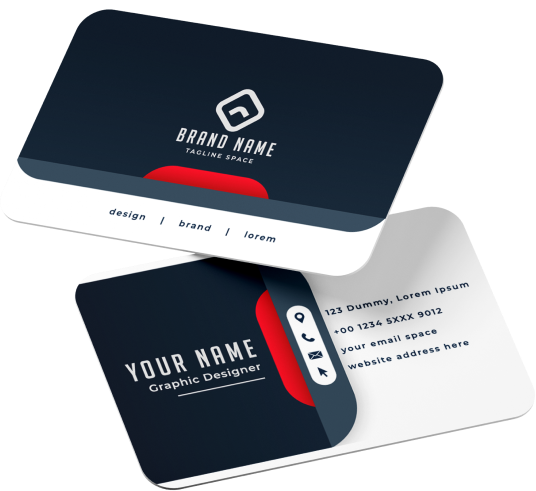
Include your full name and job title. Add a phone number where you can be reached. Provide a professional email address. If possible, include your office address. This information helps clients contact you fast.
Social Media Links
List social media profiles related to your work. Use icons or simple text links. Choose platforms where you are active. This allows people to follow your updates. Keep links short and easy to read.
Incorporating Branding Elements
Incorporating branding elements in your visiting card design is key to making a strong impression. These elements help people recognize your business quickly. A well-branded card shows professionalism and builds trust.
Careful use of logos, colors, and fonts makes your card unique. It also keeps your brand identity clear and consistent. This section covers how to place your logo and maintain a consistent style for best results.
Logo Placement
Place your logo where it grabs attention first. The top left or center works well. Make sure it is clear and not crowded by other text. The logo should be large enough to see easily. Avoid putting it too close to the edges. A well-placed logo strengthens brand recognition.
Consistent Style
Use the same colors and fonts as your brand. This creates a unified look across all materials. Keep font sizes readable and simple. Match the card’s background color with your brand palette. Consistency helps people remember your business. It also shows you pay attention to details.
Using Online Tools Effectively
Creating a visiting card online is simple and fast. Online tools help design cards without special skills. These tools offer templates, colors, and fonts to match your style. Using them well can save time and produce great results.
Top Platforms
Many platforms provide visiting card design services. Canva, Vistaprint, and Adobe Express are popular choices. They offer free and paid options. Each platform has unique templates for different professions. Choose one that fits your needs and budget.
User-friendly Features
Good tools have easy drag-and-drop functions. They let you add text, images, and logos quickly. You can change colors and fonts with a click. Most tools show a preview before saving or printing. These features make the design process smooth and fun.
Finalizing And Printing
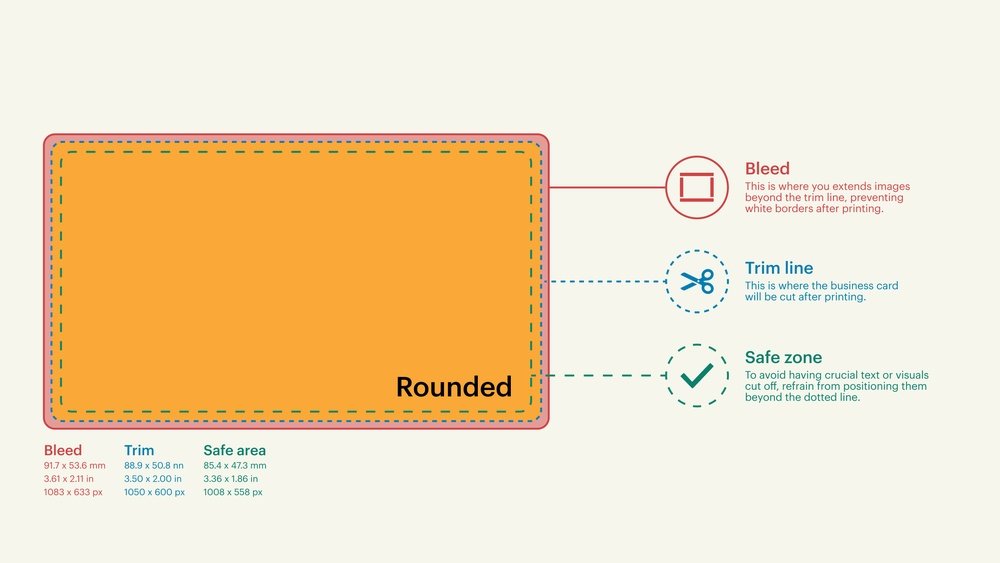
Finalizing and printing your visiting card is the last step in creating a professional look. This step ensures your card looks perfect and matches your style. Careful checking and choosing the right print options matter a lot.
Reviewing The Design
Check all text for spelling and grammar errors. Look at the layout and spacing. Make sure the colors are clear and match your brand. Verify your contact details are correct. See if the font size is easy to read. Review on different screens if possible. A clean and simple design often works best.
Choosing Print Options
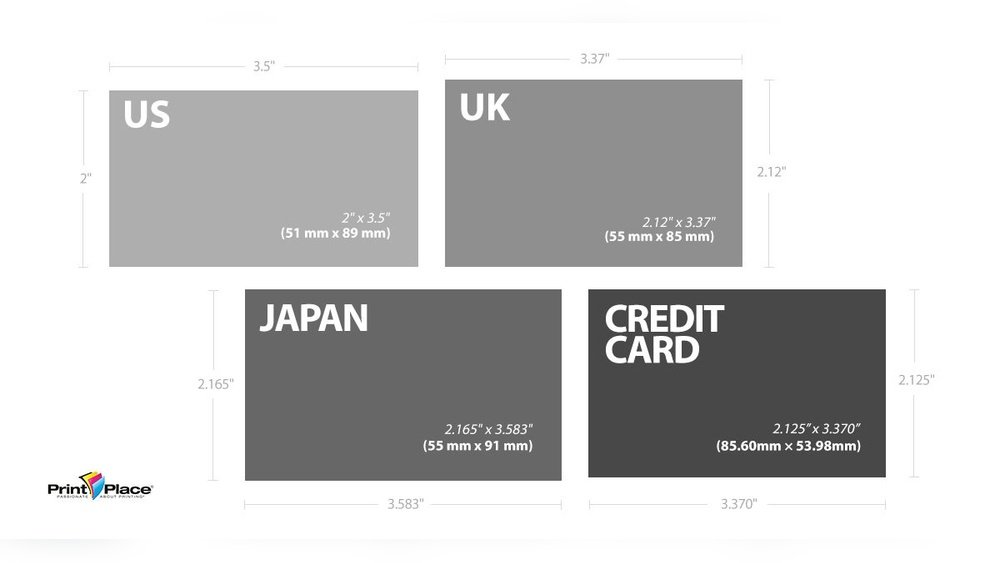
Pick the right paper type for your card. Thicker paper feels more professional. Decide on a finish: matte, glossy, or textured. Choose the card size and shape that suits you. Select the number of cards to print. Consider eco-friendly options if available. Confirm the print quality before ordering. Quality printing makes a strong first impression.
Credit: www.logodesign.net

Credit: www.designhill.com
How IOKPRINT Can Help You with Create Visiting Card Online
Practical Learning Through Creating Your Visiting Card Online
When you embark on the journey to create a visiting card online, it’s not just about producing a simple piece of paper; it’s an opportunity to develop valuable design and branding skills. Focusing on choosing the right design and incorporating essential information helps you understand the balance between aesthetics and functionality. For instance, experimenting with layouts and font choices teaches you how to maintain clarity while reflecting your personal or business identity.
- Explore how branding elements like logos and color schemes influence perception.
- Use online tools thoughtfully to customize your card and gain hands-on experience with digital design platforms.
Platforms such as those offering free delivery options and quality printing services can serve as practical resources to see your work come to life, reinforcing the importance of finalizing details before printing. If you want to see examples or need inspiration, sites like iokprint.in provide a range of business card designs and printing solutions that can enhance your understanding of professional card creation.
Frequently Asked Questions
What Are The Best Tools To Create Visiting Cards Online?
Many websites and apps offer free and paid templates for visiting cards. Look for easy-to-use tools with customization options.
How Can I Customize My Visiting Card Design Online?
You can change colors, fonts, images, and text using online editors. Most platforms allow drag-and-drop features for quick design.
Is It Possible To Print Visiting Cards After Creating Online?
Yes, most services provide printing options or downloadable files. You can print them at home or use professional printing services.
What Details Should I Include On A Visiting Card?
Include your name, job title, phone number, email, and company logo. Keep the information clear and easy to read.
Can I Create Visiting Cards Online For Free?
Many platforms offer free visiting card creation with basic designs. Paid plans provide more templates and advanced features.
Conclusion
Creating a visiting card online saves time and effort. You can design it easily from home or office. Choose colors, fonts, and layouts that fit your style. Share your card quickly through email or social media. A good card helps people remember you better.
It shows your professionalism and attention to detail. Start today and make your first impression count. Simple steps lead to great results. Your new visiting card is just a few clicks away.