Are you looking to make your brand stand out or add a personal touch to your belongings? Custom stickers are a simple and effective way to do just that.
Thank you for reading this post, don't forget to subscribe!But how do you get them printed exactly the way you want? You’ll discover easy steps to create your own custom stickers with the perfect design, size, and finish. By the time you finish reading, you’ll know exactly how to turn your ideas into eye-catching stickers that grab attention and make an impact.
Let’s dive in and get your custom stickers printed right!
Choosing Sticker Types
Choosing the right type of sticker is key for your project’s success. Different stickers work best for different uses. Think about where you want to place your stickers and how long they should last. Also, consider the look you want. Each sticker type offers unique features. This helps you pick the perfect style for your needs.
Vinyl Stickers
Vinyl stickers are strong and weatherproof. They work well outdoors on cars, windows, or signs. These stickers resist water and sun damage. Colors stay bright for a long time. The material is flexible and sticks well to many surfaces. Vinyl stickers suit branding or promotional purposes. They offer a professional look and last long.
Die-cut Stickers
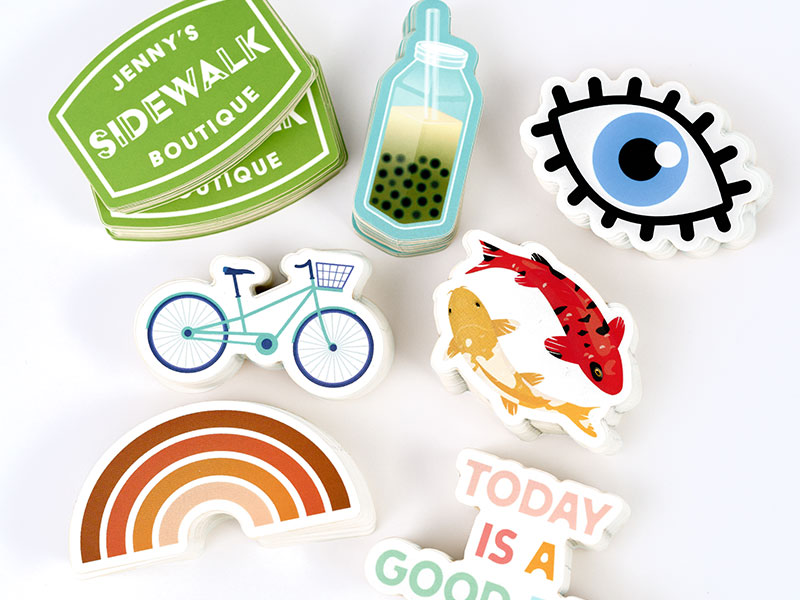
Die-cut stickers have custom shapes cut around the design. They do not have a white border. This style makes your sticker stand out. Use die-cut stickers for logos or fun shapes. The edges follow the design’s outline exactly. These stickers look neat and eye-catching. Perfect for giveaways or packaging decoration.
Clear Stickers
Clear stickers have a transparent background. They blend with the surface they stick on. These stickers work well on glass or smooth surfaces. Clear stickers give a clean, modern look. The design floats on the surface without a white box. Use them for subtle branding or decorative accents. They add style without overpowering the background.
Sticker Sheets
Sticker sheets hold many small stickers on one page. They are great for planners, scrapbooks, or kids’ crafts. Sheets often include matching designs or themes. Easy to peel and use one by one. Sticker sheets offer variety and fun in one set. Ideal for gifts or collections. They provide lots of options in a single print.
Credit: www.makestickers.com
Designing Your Stickers
Designing your stickers is an important step in creating a product that stands out. Your design shows your style and message clearly. It should catch the eye and be easy to understand. Simple and clear designs work best for stickers. This section explains ways to create great sticker designs.
Using Design Software
Design software helps you create digital images for stickers. Programs like Adobe Illustrator or Canva are popular choices. Illustrator is best for detailed and professional designs. Canva is easy for beginners and has many templates. Both let you change colors, shapes, and text. Save your design in a high-quality file like PNG or SVG for printing.
Hiring A Designer
A professional designer can make your sticker look unique and polished. They know how to make colors and fonts work well. Designers listen to your ideas and turn them into art. Use websites like Fiverr or Upwork to find freelance designers. Share your vision clearly and ask for drafts to review before finalizing.
Design Tips For Stickers
Keep your design simple and bold. Small details can get lost when stickers are small. Use bright colors that contrast well to attract attention. Choose easy-to-read fonts and avoid using too many words. Make sure your design fits the sticker size perfectly. Test your design by printing a sample before ordering a large batch.
Selecting Printing Methods
Selecting the right printing method is key to getting quality custom stickers. Each method offers different benefits based on your needs. Consider the sticker size, quantity, color, and budget. Choose a method that matches your project requirements. Here are some common printing methods to explore.
Digital Printing
Digital printing uses inkjet or laser printers to create stickers. It is fast and cost-effective for small orders. This method works well for designs with many colors or gradients. Digital printing lets you print variable data, like names or numbers. The print quality is sharp and vibrant. It requires less setup time than other methods.
Screen Printing
Screen printing presses ink through a mesh screen onto the sticker material. It is ideal for large orders with simple designs. This method produces bright, durable colors that last long. Each color needs a separate screen, so it suits limited color palettes. Screen printing works well on various surfaces, including plastics and vinyl.
Offset Printing
Offset printing transfers ink from a plate to a rubber blanket, then to the sticker. It provides high-quality prints with sharp details and color accuracy. This method is cost-efficient for large volumes of stickers. Setup time is longer and costs more than digital printing. Offset printing handles complex designs and fine lines well.
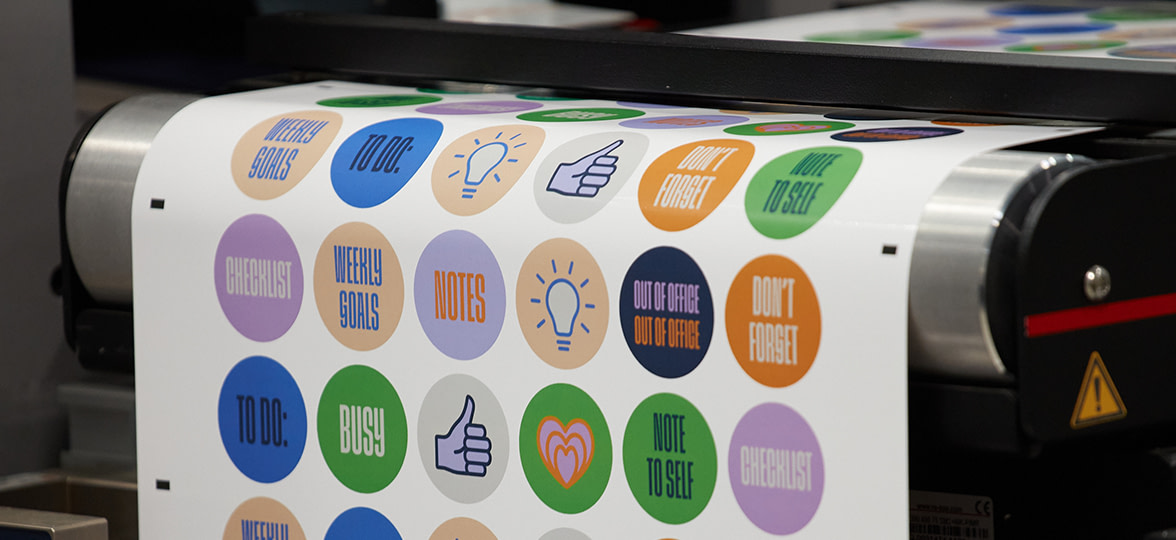
Credit: www.moo.com
Finding Printing Services
Finding the right printing service is key to getting quality custom stickers. It affects the look, feel, and durability of your stickers. Choosing the best printer saves money and time. You can select from many options, both online and local. Each has its own benefits and limits. Knowing these helps you pick the best fit for your needs.
Online Printers
Online printers offer convenience and a wide range of choices. You can upload your design and order stickers from home. Many sites let you choose size, shape, and material easily. They often provide fast delivery right to your door. Prices can be competitive due to less overhead. Some sites have tools to help you create or edit designs.
Local Print Shops
Local print shops give a personal touch to your order. You can visit and discuss your needs face-to-face. This helps avoid mistakes and get advice on materials. Local shops may offer faster turnaround for small orders. Supporting local businesses helps your community grow. You can also see sample prints before buying.
Comparing Prices And Reviews
Compare prices to find the best deal for your budget. Check what is included, like shipping or proofs. Read customer reviews to learn about print quality and service. Look for feedback on delivery times and customer support. Combining price and reviews guides you to a reliable printer. Never choose a printer based on price alone.
Preparing Files For Printing
Preparing your files correctly is a key step for printing custom stickers. Clear, accurate files help printers produce sharp and vibrant stickers. Mistakes in file setup can cause blurry images or wrong colors. Taking time to prepare files well saves effort and cost later.
This guide covers the main points for file preparation. Follow these tips to ensure your stickers look their best. Understanding file formats, resolution, and bleed helps avoid printing issues.
File Formats
Choose the right file format for printing. Vector files like AI, EPS, or PDF are best. They keep images sharp at any size. Raster files like JPEG or PNG work if they have high resolution. Avoid low-quality or compressed files to prevent pixelation.
Resolution Requirements
Set your images to 300 dots per inch (DPI). This resolution gives clear and detailed prints. Lower DPI files appear blurry or pixelated. Check resolution before sending files to the printer. Use image editing software to adjust DPI if needed.
Bleed And Cut Lines
Include bleed in your design to avoid white edges. Bleed is extra image area beyond the cut line. Usually, 1/8 inch (3 mm) is enough. Add cut lines to show where the sticker will be trimmed. This helps the printer cut precisely and cleanly.
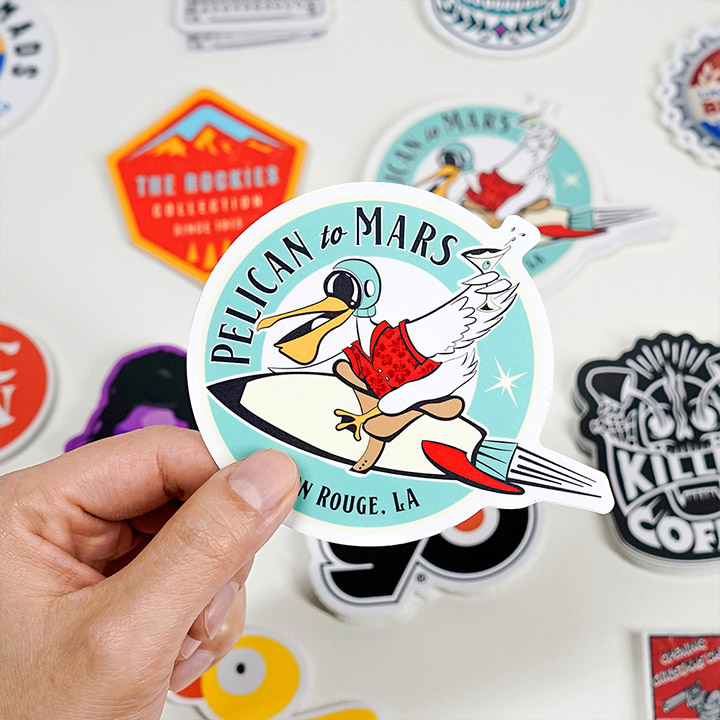
Credit: www.stickeryou.com
Placing Your Order
Placing your order for custom stickers is an important step. It shapes how your final product looks and feels. You need to make choices about quantity, finishes, and shipping. Each decision affects cost, quality, and delivery time. Take your time and review your options carefully.
Choosing Quantity
Decide how many stickers you need. Small orders cost more per sticker. Large orders lower the price per piece. Think about your budget and purpose. Ordering extra stickers can save money later. Make sure the quantity fits your project goals.
Selecting Finishes
Pick the finish that suits your design. Matte finish gives a soft, non-shiny look. Glossy finish makes colors bright and shiny. Clear finish works well on transparent stickers. Consider durability and where stickers will be used. The finish affects the sticker’s feel and appearance.
Shipping Options
Choose shipping based on how fast you need stickers. Standard shipping is cheaper but slower. Expedited shipping costs more but arrives sooner. Check if the seller offers tracking for your package. Plan your order time to avoid delays. Shipping choice impacts when you get your stickers.
Using Custom Stickers
Custom stickers offer many ways to express ideas and boost visibility. They work well for businesses and personal use. Stickers can catch attention and make messages clear. Using custom stickers helps create a strong identity and adds fun to projects.
Marketing And Branding
Custom stickers help businesses stand out. They show logos and slogans clearly. Stickers can go on laptops, cars, or windows. People see your brand everywhere. This makes your business easy to remember. Stickers also create a sense of trust. Customers feel more connected to your brand.
Personal Projects
Custom stickers add style to personal items. Use them on notebooks, water bottles, or phone cases. They make gifts special and unique. Stickers can show hobbies, favorite quotes, or art. They help express personality in a simple way. Fun and creative projects become more exciting with stickers.
Packaging And Labels
Stickers improve product packaging and labels. They give products a neat and professional look. Use stickers for ingredient lists, prices, or barcodes. Custom labels make products easy to identify. They help build trust with customers. Good packaging stickers protect products and provide important details.
Frequently Asked Questions
What Materials Are Best For Custom Sticker Printing?
Vinyl and polyester are top materials for durability and vibrant colors. Paper stickers suit indoor use. Choose based on where and how long you need the stickers to last.
How Do I Create A Design For Custom Stickers?
Use graphic design software like Adobe Illustrator or Canva. Keep designs simple, high-resolution, and within the printer’s size limits. Clear, bold images print best on stickers.
What Is The Typical Turnaround Time For Custom Stickers?
Most printers take 3-7 business days for production and shipping. Rush options may be available for an extra fee. Always check the supplier’s estimated delivery times.
How Much Do Custom Stickers Usually Cost?
Sticker costs vary by size, quantity, and material. Small orders cost more per sticker; bulk orders reduce the price. Expect prices from a few cents to over a dollar each.
Conclusion
Getting custom stickers printed is easier than you think. Choose the right design and material for your needs. Find a trusted printer with good reviews. Check proofs carefully before printing to avoid mistakes. Order the right quantity to save money.
Stickers can help promote your brand or decorate your space. Take your time to plan and order wisely. Enjoy seeing your ideas come to life on stickers. Simple steps lead to great results every time.