Are you ready to create your own business cards right at home or in your office? Making a business cards printer can save you time and money, giving you full control over your design and print quality.
Thank you for reading this post, don't forget to subscribe!Imagine having the power to print fresh, professional cards whenever you need them, without waiting or extra costs. You’ll discover simple steps and smart tips to build a business cards printer that fits your needs perfectly. Keep reading, and you’ll soon be printing cards that leave a lasting impression on your clients and contacts.
Choosing The Right Printer
Choosing the right printer is key to making quality business cards at home. The printer affects the card’s look and feel. It also impacts the time and cost of printing. Picking a suitable printer makes the whole process easier and better.
Inkjet Vs Laser Printers
Inkjet printers use liquid ink sprayed onto paper. They produce bright colors and smooth gradients. Ideal for colorful and detailed cards. Laser printers use toner powder melted on paper. They print faster and handle large volumes well. Laser cards usually have sharper text and lines. Consider inkjet for rich colors, laser for sharp text and speed.
Printer Resolution And Quality
Resolution shows how clear the print looks. Measured in dots per inch (DPI). Higher DPI means finer details and sharper images. For business cards, aim for at least 600 DPI. This ensures crisp text and clean graphics. Check your printer’s specs before buying. Good print quality gives a professional impression.
Cost Considerations
Printers vary in price and running costs. Inkjet printers are cheaper upfront but ink can cost more. Laser printers cost more initially but toner lasts longer. Think about how many cards you will print. Calculate the cost per card including ink or toner. Choose a printer that fits your budget and print volume.
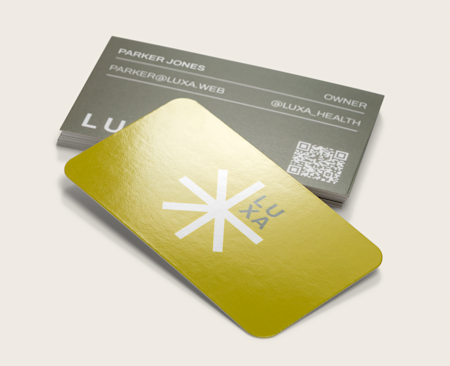
Credit: www.vistaprint.com
Selecting Cardstock And Materials
Selecting the right cardstock and materials is key to printing quality business cards. The feel and look of your card leave a strong impression. Choosing materials carefully helps your cards stand out and last longer.
Different projects need different paper types. Some cards need a smooth finish, while others require a thick, textured feel. Knowing the options helps you pick the best cardstock for your business cards.
Paper Thickness And Finish
Paper thickness is measured in points or grams per square meter. Thicker paper feels more professional and sturdy. Common thickness ranges from 14pt to 32pt. Choose thicker paper for a premium look.
Finish affects the card’s shine and texture. Matte finish offers a smooth, non-glare surface. Glossy finish adds shine and bright colors. Satin or silk finishes give a soft, elegant touch.
Specialty Cardstocks
Specialty cardstocks offer unique textures and effects. Linen cardstock has a fabric-like surface that feels rich. Recycled paper is eco-friendly and has a natural look. Metallic cardstock adds shimmer for luxury cards.
Using specialty stocks can reflect your brand personality. Textured or colored edges add subtle style. These options create memorable business cards.
Sourcing Materials
Find cardstock from local suppliers or online stores. Buy samples to test paper quality and color. Check prices and shipping times for cost efficiency.
Choose suppliers with good reviews and clear return policies. Bulk buying can reduce costs for large print jobs. Keep your materials consistent for a professional result.
Designing Your Business Cards
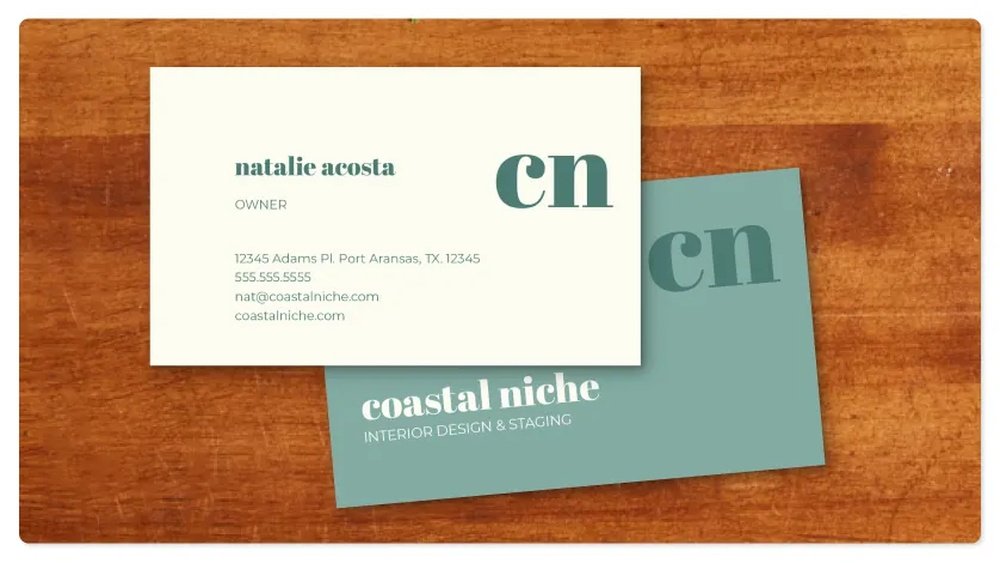
Designing your business cards is a crucial step in making a great impression. A well-designed card helps people remember your brand and contact information. Keep the design clear and simple. Focus on key details and a clean look. This section covers important design tips for your business cards.
Layout And Dimensions
Choose a standard size for easy handling. Most business cards measure 3.5 x 2 inches. Keep margins wide enough to avoid cutting important parts. Organize information in clear sections. Place your name, job title, and contact details in logical order. Use grids to align text and images neatly. Avoid clutter by leaving enough white space.
Color Schemes And Fonts
Select colors that match your brand style. Use two or three colors for balance. High contrast between text and background improves readability. Pick simple fonts that are easy to read. Stick to one or two font types. Avoid fancy or script fonts for main text. Make sure font size is big enough to read easily.
Incorporating Logos And Images
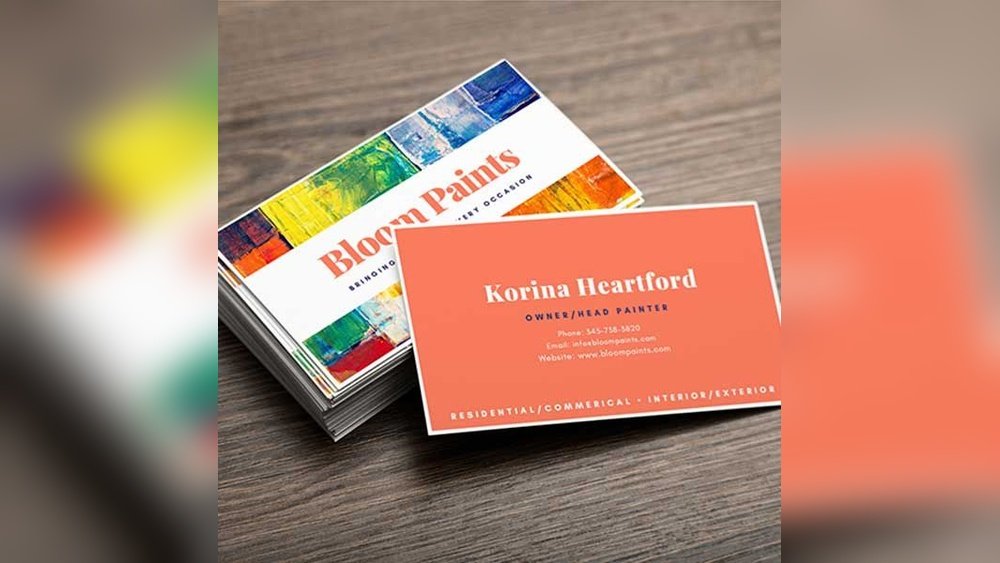
Use your logo to build brand recognition. Place it where it is visible but not overpowering. Choose high-quality images with good resolution. Avoid pixelated or blurry pictures. Keep images relevant to your business. Balance images with text to maintain a clean design. Check that logos and images print well on paper.

Credit: www.eufymake.com
Setting Up Printing Software
Setting up printing software is a key step in making business cards. It helps you control how your cards look and print. The right setup saves time and avoids mistakes. This section explains how to prepare your software for the best results.
Choosing Design Tools
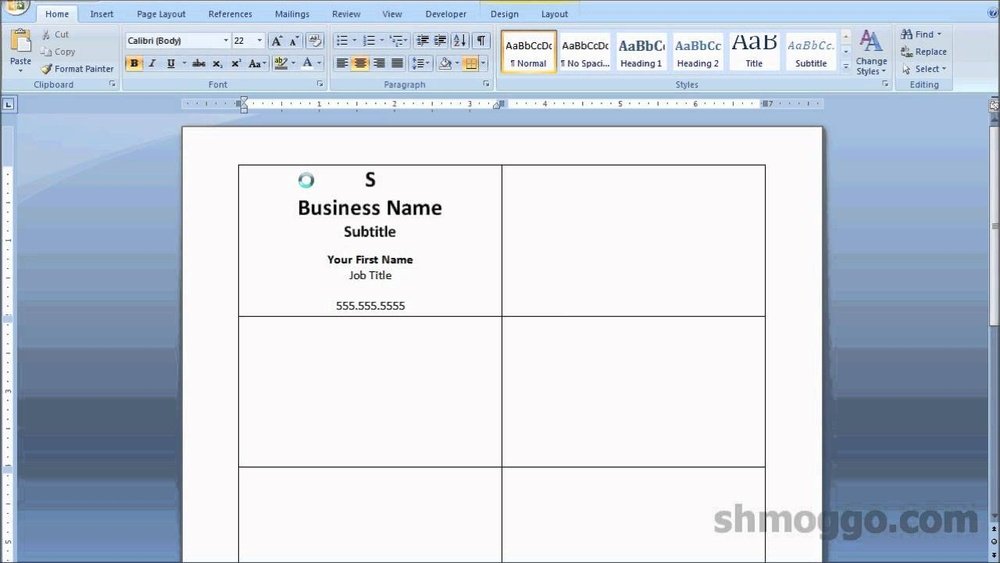
Pick design tools that are easy to use. Many printers work well with simple programs like Microsoft Word or Canva. These tools offer basic features for colors, fonts, and images. Choose one that fits your skill level and needs. Avoid complex software if you want quick results.
Printer Settings For Best Results
Adjust your printer settings before printing. Set the paper type to match your business card stock. Use the highest print quality option to get clear text and images. Check the print size to match your card dimensions. These steps prevent wasting paper and ink.
Using Templates
Templates guide your design and layout. Use pre-made business card templates in your software. They help align text and images perfectly. Templates save time and ensure your cards look professional. Customize colors and fonts to fit your brand style.
Printing Process
The printing process is a key step in making business cards. It turns your design into a physical card. This process needs care to get sharp images and clear text. You must prepare your printer and materials properly before printing. Good preparation helps avoid waste and saves time.
During printing, the printer applies ink or toner on the card stock. The quality depends on printer settings and paper type. Choosing the right settings for your design is very important. A clean printer and fresh ink also improve results. Follow each step carefully for the best outcome.
Test Prints And Adjustments
Start with test prints on regular paper. This shows how your design looks before using card stock. Check colors, alignment, and text size. Adjust printer settings if colors look off or text is blurry. Make small changes and print again. Repeat until the test print looks perfect.
Printing Multiple Cards
After test prints, load your card stock into the printer. Print several cards at once to save time. Use a layout that fits many cards on one sheet. This method reduces paper waste. Handle the sheets carefully to avoid smudges or bends. Let the ink dry fully before stacking cards.
Handling Print Errors
Errors like smudges, streaks, or blank spots can happen. Check ink levels and clean printer heads regularly. If a card prints wrong, remove it immediately. Avoid feeding damaged cards back into the printer. Fix issues before continuing to prevent more waste. Regular printer maintenance helps reduce errors.
Cutting And Finishing
Cutting and finishing shape the final look of business cards. These steps ensure clean edges and enhance durability. Proper cutting and finishing make cards stand out and last longer. Let’s explore key tools and methods used in this process.
Cutting Tools And Techniques
Use sharp blades or guillotine cutters for straight edges. Manual cutters suit small batches. Electric cutters work well for larger runs. Always measure twice before cutting to avoid mistakes. Precision is key for professional results.
Rounding Corners And Special Effects
Rounded corners prevent cards from bending or tearing easily. Corner rounders come in various sizes for different looks. Special effects like embossing add texture and depth. Foil stamping creates shiny, eye-catching details. These touches improve card appeal.
Laminating And Coating Options
Laminating adds a protective plastic layer to cards. It increases water resistance and durability. Matte laminates give a smooth, non-glossy finish. Glossy laminates offer a shiny, vibrant look. UV coating adds extra shine and protects against scratches.
Troubleshooting Common Issues
Troubleshooting common issues helps keep your business card printer working well. It saves time and prevents waste. Knowing simple fixes avoids frustration during printing.
Below are frequent problems and easy ways to solve them. These tips improve print quality and machine performance.
Color Inconsistencies
Colors may look different than expected. Check ink levels first. Low ink causes dull or faded colors.
Clean the printer heads regularly. Dirty heads create streaks and uneven colors. Use the printer’s cleaning function.
Choose the right paper type. Some papers absorb ink differently and change color appearance. Match paper to your printer’s recommendations.
Paper Jams And Misfeeds
Paper jams stop printing and damage cards. Remove jammed paper carefully to avoid tearing.
Make sure paper is loaded properly. Align edges and do not overfill the tray. Use fresh, flat paper without folds.
Check the rollers for dust or debris. Clean them gently to help smooth paper feeding.
Ink Smudging And Drying
Smudges happen when ink is still wet. Allow enough drying time before handling cards.
Use quality ink that dries fast. Cheap ink takes longer to dry and smudges easily.
Adjust printer settings for your paper type. Some settings reduce ink flow to speed drying.

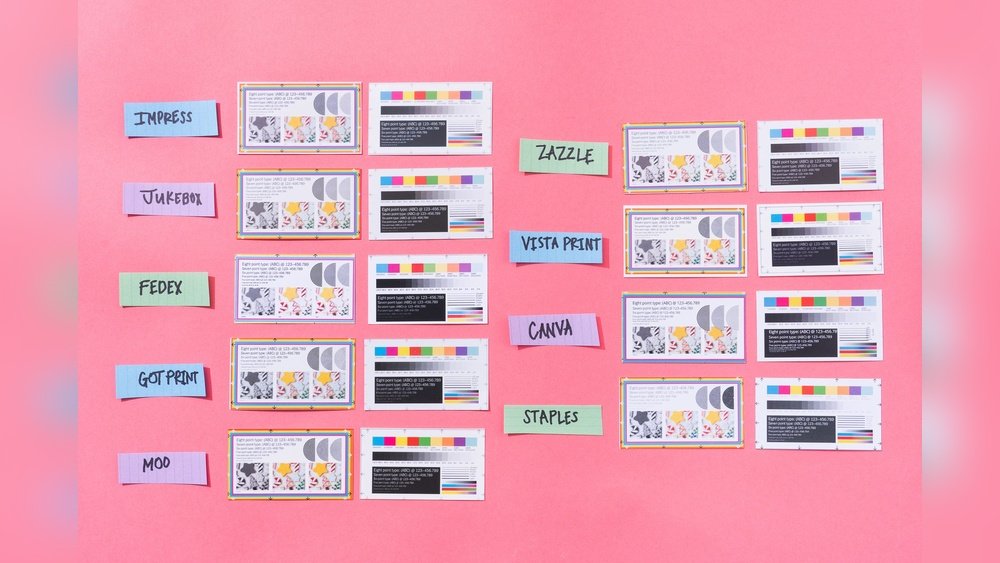
Credit: www.office.fedex.com
Cost Efficiency Tips
Saving money while printing business cards is important. Small changes can lower costs a lot. Smart choices help you print more for less. Follow these tips to keep expenses down.
Bulk Printing Strategies
Printing many cards at once cuts cost per card. Setup fees spread across a large order. Use a single design to avoid extra charges. Store extra cards for future use. This method reduces waste and saves money.
Material Savings
Choose lighter paper to lower material costs. Standard card stock often works well. Avoid thick or glossy finishes unless needed. Simple designs use less ink and save cash. Use double-sided printing to fit more info on fewer cards.
Maintaining Printer Longevity
Regular cleaning keeps your printer working well. Replace ink and parts on time to avoid damage. Use printer settings for draft quality when possible. This uses less ink and speeds up printing. Proper care prevents costly repairs and downtime.
Frequently Asked Questions
What Materials Are Needed To Make A Business Card Printer?
To make a business card printer, you need a thermal printer or inkjet printer, card stock, and printing software. High-quality card stock ensures durability. Printing software helps design and align cards precisely. Additional tools like cutters and laminators enhance the finish and durability of the cards.
How Do I Design Business Cards For Printing?
Use graphic design software like Adobe Illustrator or Canva to create your card design. Keep the layout simple with clear fonts and essential information. Maintain standard dimensions (3. 5 x 2 inches). Save the design in a high-resolution format suitable for printing, such as PDF or PNG.
Can I Use A Regular Printer For Business Cards?
Yes, you can use a regular inkjet or laser printer if it supports thick card stock. Ensure your printer settings match the card stock type. Use high-quality paper designed for business cards to get professional results. However, dedicated card printers produce better print quality and durability.
What Printing Techniques Are Best For Business Cards?
Common techniques include digital printing, offset printing, and letterpress. Digital printing is cost-effective for small batches. Offset printing offers high quality for large volumes. Letterpress adds a tactile, premium feel. Choose the technique based on budget, quantity, and desired finish.
Conclusion
Creating your own business card printer can save time and money. Start with simple tools and clear designs. Practice printing on plain paper before using special card stock. Keep your layout neat and easy to read. Test different settings to get the best quality.
This process helps you control every detail. Soon, you will have professional-looking cards made at home. A little patience goes a long way. Try it step by step and enjoy the results.