Your business card is often the first impression you make. It needs to stand out and clearly share who you are.
Thank you for reading this post, don't forget to subscribe!Printing your business card front and back gives you extra space to showcase your brand and important details. Imagine handing someone a card that not only looks professional but also tells your story in a simple, powerful way. Want to learn how to make your business card work harder for you?
Keep reading to discover tips and ideas that can transform your card from ordinary to unforgettable.
Benefits Of Double-sided Printing
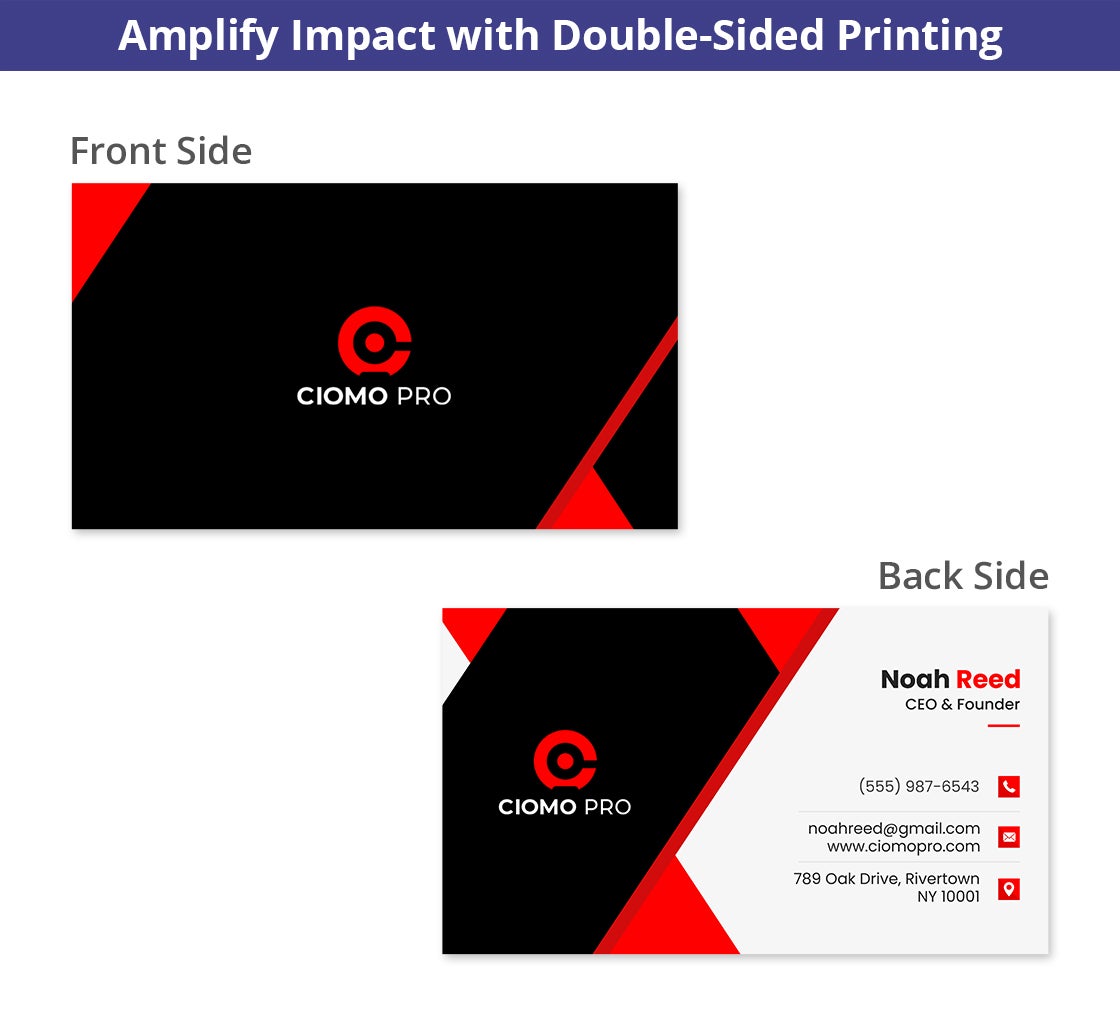
Double-sided business card printing offers many benefits. It allows more space without making the card bigger. You can share extra details and create a stronger impact. This style helps your card stand out in a crowd. It brings more value to your design and message.
Maximizing Information Space
Double-sided printing lets you add more information. You can place your name and title on one side. The other side can hold contact details or a company slogan. It helps keep the front clean and simple. Customers get all the facts without feeling overwhelmed.
Enhancing Design Creativity
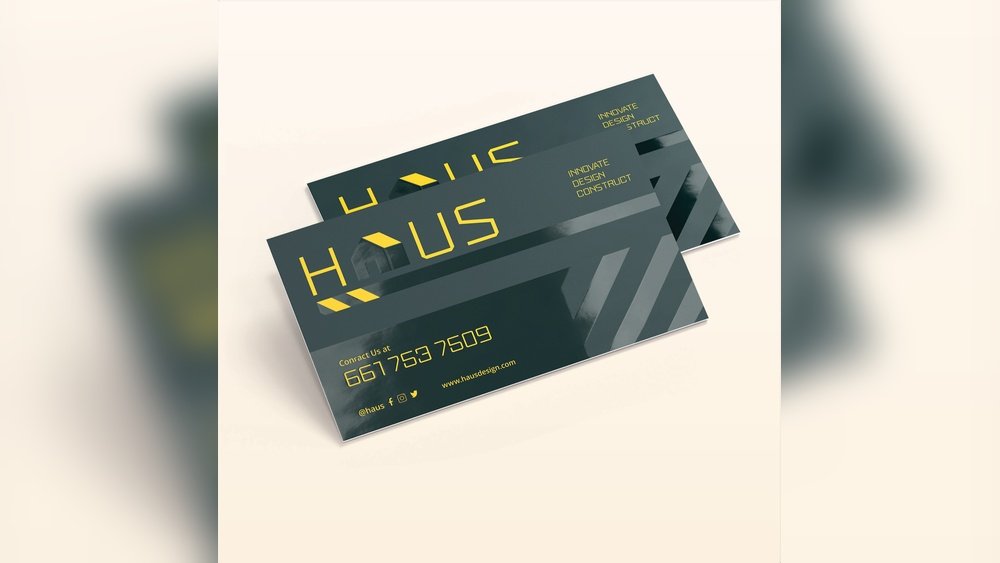
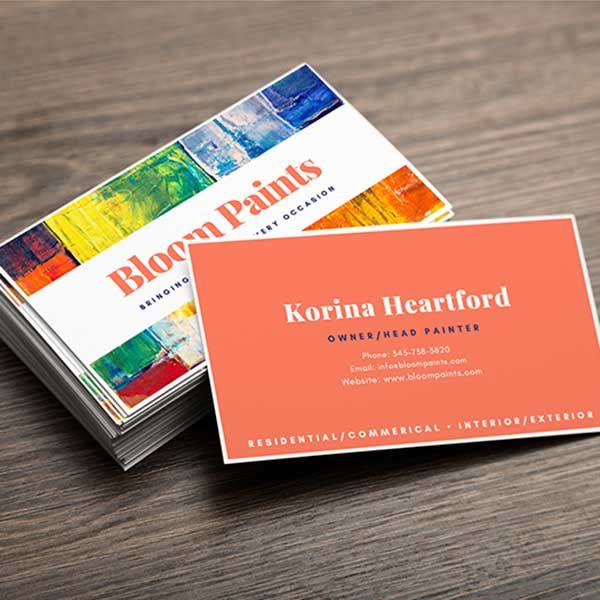
Two sides give designers room to be creative. Use one side for your logo or image. The second side can have colors or patterns. This balance keeps the card attractive and professional. It also makes your brand easier to remember.
Improving Professional Impression
Double-sided cards show attention to detail. They look more polished than single-sided cards. This style shows you value quality and presentation. People often see these cards as more trustworthy. It helps build a good first impression quickly.
Credit: www.bannerbuzz.com
Design Tips For Front And Back
Designing a business card with both front and back sides offers more space to share your message. It also allows for creative expression without crowding one side. Use this extra space wisely to make a strong impression.
Focus on clear, simple design that guides the viewer’s eye. Balance colors, text, and images so the card feels complete. These tips help create a professional and memorable business card.
Choosing Complementary Colors
Select colors that work well together on both sides. Use a color wheel to find pairs that match or contrast nicely. Keep the palette limited to two or three colors for a clean look.
Make sure text colors stand out from the background. High contrast improves readability and grabs attention. Use your brand colors to keep the design familiar and trustworthy.
Balancing Text And Graphics
Place important information where it is easy to read. Avoid clutter by leaving some empty space. Use graphics to support your message but don’t overpower the text.
On the front, show your logo and key contact details. Use the back for additional info or a call to action. Keep fonts simple and consistent for better clarity.
Maintaining Brand Consistency
Match your business card design to other branding materials. Use the same fonts, colors, and logos. Consistency builds trust and makes your brand easy to recognize.
Ensure the tone of your card fits your brand personality. A serious business should look formal. A creative company can be more playful but still professional.
Common Layouts For Double-sided Cards
Double-sided business cards offer more space to share information. This space helps create a clear and balanced design. Choosing the right layout matters a lot for making a strong impression. Common layouts focus on organizing details in a way that feels natural and easy to read.
Designers use simple ideas to keep the card clean and useful. Each side can have a different focus, helping the card stand out. Let’s explore some popular layouts for double-sided business cards.
Contact Details On The Back
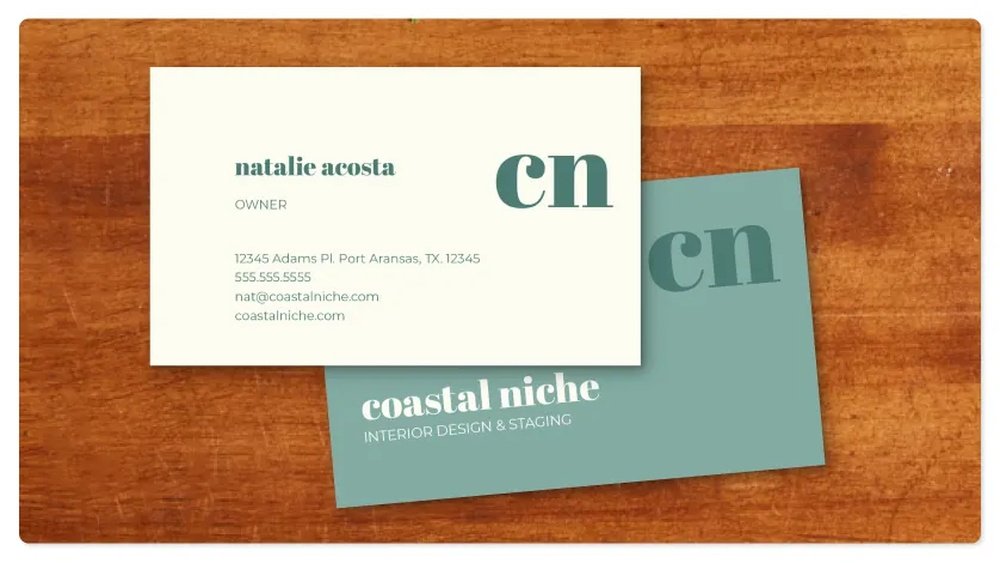
One common layout places contact details on the back side. The front shows the logo and name clearly. The back holds phone number, email, and address. This keeps the front simple and eye-catching. People find it easy to get the contact info quickly. It works well for professionals who want to share all details clearly.
Logo And Tagline Focus
Another layout highlights the logo and tagline on the front. The logo stands out with space around it. The tagline explains the business in a few words. The back side includes contact details or a short list of services. This layout builds brand recognition fast. It suits businesses wanting to make their message clear.
Including Social Media Links
Social media is key for many businesses today. A layout adds social media icons or handles on the back. The front side shows the logo and main contact info. The back lists platforms like Facebook, Instagram, or LinkedIn. This helps people connect through different channels. It makes the business card more modern and useful.
Credit: www.office.fedex.com
Paper And Finish Options
Choosing the right paper and finish for your business card is key. It affects the look, feel, and how people remember your card. The paper type and finish can make your card stand out or blend in. You want a card that feels good to hold and looks professional on both front and back.
Matte Vs Glossy Finishes
Matte finish has a smooth, non-shiny surface. It gives a soft, elegant look. It reduces glare and works well with text-heavy designs. Glossy finish shines and reflects light. It makes colors pop and images look sharper. Glossy cards feel slick and eye-catching. Both finishes have their uses depending on your style.
Specialty Paper Choices
Specialty papers add unique touches to your card. Linen paper has a fabric-like texture for a classic feel. Recycled paper shows eco-friendliness and has a natural look. Kraft paper offers a rustic, brown tone that stands out. Pearl or metallic papers add shimmer and luxury. Choosing specialty paper can match your brand personality well.
Durability And Feel
Thicker paper feels stronger and more professional. Thin paper may bend or tear easily. Coated papers resist dirt and water better. Uncoated papers feel softer and writeable. Textured papers add a tactile experience. Durable cards last longer in wallets and pockets. The right feel helps make a great first impression.
Printing Techniques For Best Results
Choosing the right printing technique is key for great business cards. The print quality affects how your card looks and feels. This section explains popular printing methods and tips to get the best results. Understanding these helps you pick the best option for your needs.
Digital Vs Offset Printing
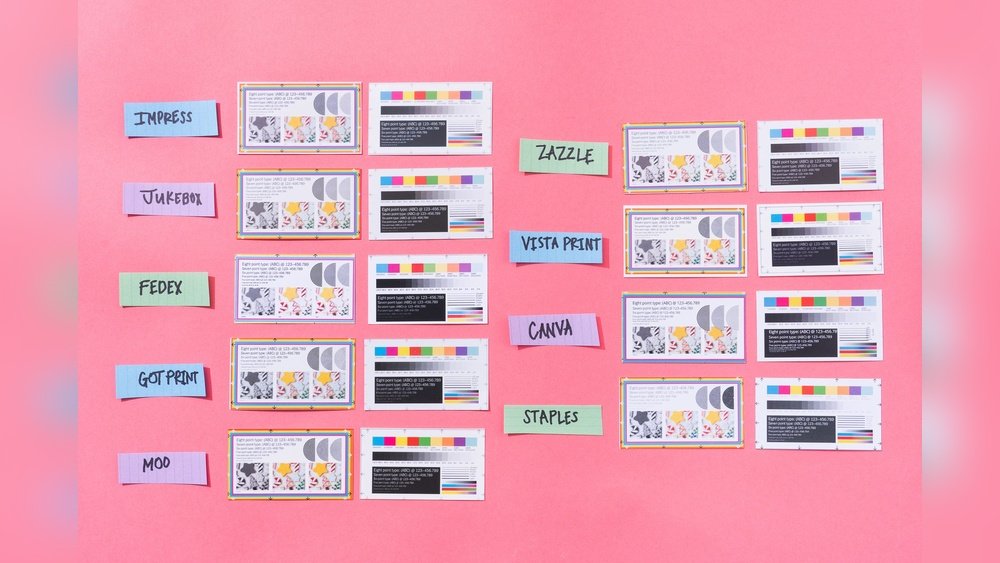
Digital printing is fast and cost-effective for small orders. It uses digital files to create prints directly. This method suits designs with many colors and details. Offset printing needs plates and is better for large runs. It offers sharper images and consistent color. Offset is more affordable for bulk printing. Both have strengths based on quantity and budget.
Spot Uv And Embossing
Spot UV adds a shiny layer to specific card parts. It highlights logos or text with a glossy finish. Embossing raises parts of the card for a textured feel. It creates a 3D effect that adds elegance. These techniques make cards stand out and feel unique. They work well on both front and back sides.
Color Accuracy Tips
Use CMYK color mode for printing files. This mode matches printer colors closely. Choose high-quality images with 300 dpi resolution. Avoid bright screen colors; print colors look different. Request a printed proof before the full print run. Check colors and details carefully on the proof. Accurate colors make your card look professional and clear.
Cost Considerations
Cost plays a big role in choosing business card printing options. Printing on both front and back changes the price. Understanding these costs helps you plan your budget better. You can get good quality cards without overspending. Let’s explore key points about cost for double-sided cards.
Pricing Differences For Double-sided
Printing on both sides costs more than single-sided cards. You pay for extra ink and design space. The price depends on the printer and materials used. Some printers offer small price jumps for double-sided prints. Others may charge almost double. Check prices carefully before deciding.
Bulk Printing Savings
Ordering cards in large quantities lowers the price per card. Printers give discounts for bulk orders. The more cards you print, the less each card costs. Bulk printing works well if you need many cards. It reduces overall spending while keeping quality high.
Balancing Quality And Budget
Good quality business cards create a strong impression. Cheaper cards might use thinner paper or low-quality ink. Decide which features matter most for your brand. You can choose mid-range options to save money. Focus on clear text and clean design. This balance helps you stay within budget.
Common Mistakes To Avoid
Designing a business card with printing on both front and back can make a strong impression. Avoiding common mistakes helps your card look clear and professional. Small errors can confuse readers and reduce your card’s impact. Focus on simple, clean design for best results.
Overcrowding Information
Too much information makes your card hard to read. Keep only essential details like name, phone, and email. White space helps your content stand out. Crowded cards look messy and unprofessional. Use the back side wisely to spread out information.
Ignoring Bleed And Margin
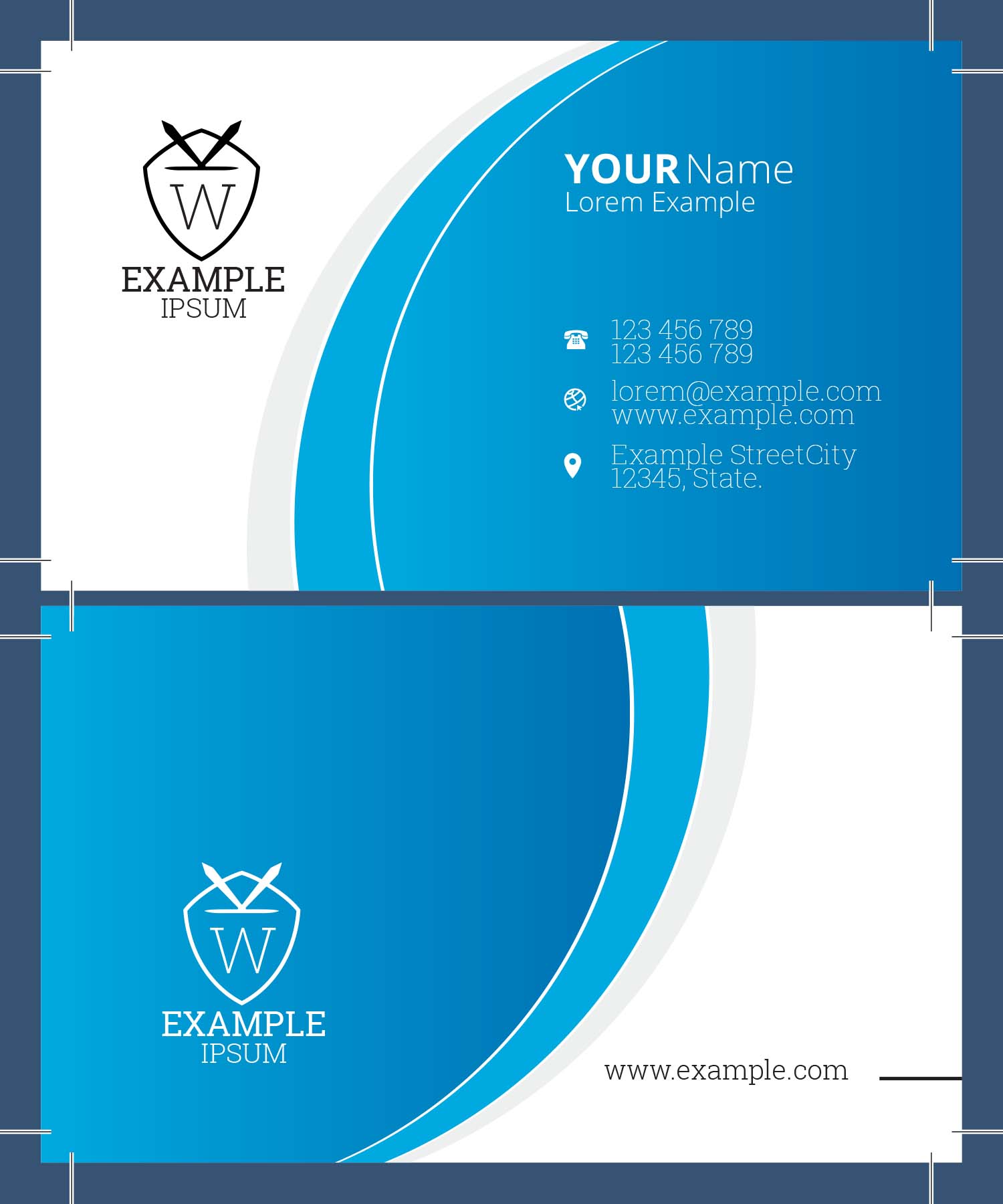
Bleed and margin are crucial for printing quality. Bleed is extra space around the edges for trimming. Margin keeps important text away from edges. Ignoring these can cut off your text or images. Check with your printer for the right sizes to avoid mistakes.
Poor Font Choices
Choose simple fonts that are easy to read. Avoid fancy or script fonts that confuse readers. Use a font size that does not strain the eyes. Consistent font styles create a neat look. Good font choices improve clarity and professionalism.
Eco-friendly Printing Options
Choosing eco-friendly printing options for business cards helps protect the planet. It lowers waste and reduces harmful chemicals. Many businesses now prefer green choices to show care for the environment. Eco-friendly printing also creates unique, attractive cards that stand out.
Recycled Paper Uses
Recycled paper saves trees and reduces landfill waste. It uses old paper to make new sheets. These papers often feel just like regular paper. Using recycled paper for business cards shows a commitment to sustainability. It also lowers energy use in paper production.
Soy-based Inks
Soy-based inks come from soybean oil, a natural resource. They produce bright, clear colors on cards. These inks are less toxic than traditional petroleum inks. They break down faster in the environment, causing less pollution. Using soy inks helps protect air and water quality.
Sustainable Printing Practices
Many printers use sustainable methods to reduce waste and energy. They recycle scraps and use energy-efficient machines. Digital printing cuts down on excess ink and paper use. Some printers offer vegetable-based coatings instead of plastic ones. Sustainable practices make business card printing eco-friendly and responsible.
Credit: crestprinting.com
Frequently Asked Questions
What Are The Benefits Of Front And Back Business Card Printing?
Printing on both sides doubles your space for information and branding. It enhances professionalism and makes your card memorable. This option allows for creative designs, improving engagement and leaving a strong impression on potential clients.
How Much Does Double-sided Business Card Printing Cost?
Double-sided printing typically costs slightly more than single-sided cards. Prices vary by quantity, paper quality, and design complexity. Many printers offer affordable packages that balance cost and quality effectively for small to large orders.
What Design Tips Work Best For Front And Back Cards?
Keep front simple with key info like name and logo. Use the back for contact details or a call to action. Ensure consistent colors and fonts for brand identity. Avoid clutter to maintain readability and professional appeal.
Can I Print Different Information On Front And Back Sides?
Yes, you can customize each side with unique content. Front usually features your logo and name; back can include services, social media, or a QR code. This maximizes the card’s usefulness without overcrowding a single side.
Conclusion
Printing business cards on both sides gives you extra space. You can share more information without crowding the design. Front and back printing helps your card look professional and neat. It makes your contact details easy to find. People remember your card better with clear and useful content.
Choose simple layouts and readable fonts for best results. Double-sided cards show you care about details and quality. This small step can make a big difference in how you connect. Try printing front and back for a smart, effective business card.