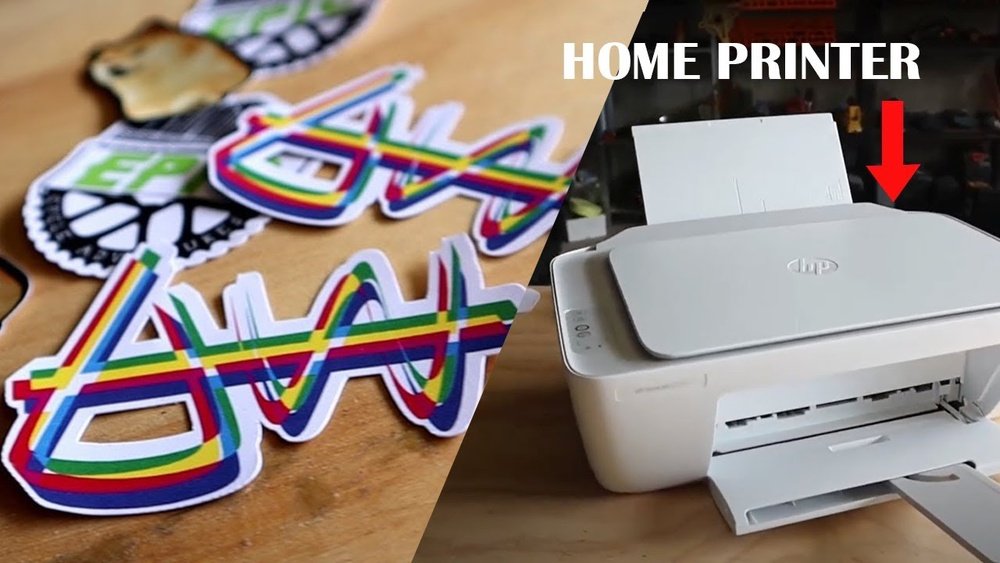
Have you ever thought about printing your own stickers at home? Imagine turning your ideas into colorful, custom stickers without waiting for delivery or paying high prices.
Thank you for reading this post, don't forget to subscribe!You might think it’s complicated or requires special tools, but the truth is, it’s easier than you expect. Whether you want stickers for your laptop, gifts, or organizing, this guide will show you how to do it step-by-step. Keep reading, and you’ll discover simple tips that make your sticker-making fun, affordable, and totally doable right from your own printer.
Credit: www.hp.com
Sticker Printing Basics
Printing stickers at home is simple and fun. You need to know some basics to get started. Understanding sticker types and the right materials helps you create great stickers. This guide covers the essentials for your home sticker project.
Types Of Stickers
Stickers come in many forms. Paper stickers are cheap and easy to print. They work well for indoor use. Vinyl stickers are stronger and water-resistant. They last longer outside. Clear stickers let the background show through. They give a sleek, modern look. Choose the type that fits your project needs.
Materials Needed
Start with sticker paper. It has an adhesive back and works with inkjet or laser printers. You also need a good printer. Inkjet printers are best for bright colors. Laser printers give sharp text and lines. A cutting tool helps to trim your stickers neatly. Scissors or craft knives work fine. Use a ruler for straight cuts. These materials make sticker printing easy and effective.
Credit: www.slideserve.com
Choosing The Right Printer
Choosing the right printer is key to printing stickers at home. The printer affects the sticker quality, colors, and durability. A good printer makes the process smooth and the results look professional. Consider the type of printer and features before buying or using one.
Inkjet Vs. Laser Printers
Inkjet printers spray tiny droplets of ink onto paper. They handle colors well and print smooth gradients. Inkjets work best for colorful, detailed sticker designs.
Laser printers use toner powder melted on paper with heat. They print faster and produce sharp text and lines. Laser printers suit simple designs with fewer colors.
Inkjet stickers may smudge if not dried or sealed. Laser stickers resist smudging and water better. Pick a printer that matches your sticker style and needs.
Printer Features For Stickers
Look for printers that support thick paper or sticker sheets. This helps avoid jams and poor prints. A printer with high resolution gives clear, crisp images.
Color accuracy matters for vibrant, true-to-design stickers. Some printers offer color calibration for better results. Wireless printing adds convenience, letting you print from phones or tablets.
Consider printers with a good ink or toner cost. Printing many stickers can get expensive. Choose a printer with affordable supplies for long-term use.
Selecting Sticker Paper
Selecting the right sticker paper is key to printing stickers at home. It affects how your stickers look and how long they last. Choosing the correct type depends on the design and where you plan to use the stickers.
Sticker paper comes in many varieties. Each type offers different finishes and features. Understanding these options helps you pick the best one for your project.
Matte Vs. Glossy Finishes
Matte sticker paper has a flat, non-shiny surface. It gives a smooth and soft look to your stickers. This finish reduces glare and is easy to write on with pens or markers.
Glossy sticker paper shines and reflects light. It makes colors appear bright and vivid. Glossy stickers often look more professional and eye-catching.
Choose matte for a subtle, elegant feel. Pick glossy if you want bold and vibrant stickers.
Waterproof And Vinyl Options
Waterproof sticker paper protects your designs from water damage. It is perfect for outdoor use or items that get wet often. This paper usually has a plastic coating to keep ink safe.
Vinyl sticker paper is strong and flexible. It can stick to curved or rough surfaces easily. Vinyl is also water-resistant and durable for long-lasting stickers.
For stickers exposed to weather or moisture, pick waterproof or vinyl paper. They keep your stickers looking good longer.
Design Tips For Stickers
Designing stickers at home can be fun and creative. Good design makes stickers look better and last longer. Simple tips help make your stickers clear and eye-catching. Focus on size, shape, and the right tools. These details affect how your stickers turn out.
Size And Shape Considerations
Choose the right size for your sticker’s purpose. Small stickers suit laptops or phone cases. Larger stickers work well on water bottles or notebooks. Think about where you will place the sticker. Shape matters too. Circles, squares, or custom shapes add style. Keep shapes simple for easy cutting. Avoid tiny details that can blur when printed.
Using Design Software
Use design software to create your sticker art. Programs like Canva or Adobe Spark are easy and free. They offer templates and tools for beginners. Work in high resolution for sharp prints. Use bright colors that stand out on any surface. Save your design as PNG or PDF for best quality. Check your design on screen before printing to catch mistakes.
Printing Process At Home
Printing stickers at home is simple with the right steps. The printing process starts by setting up your printer and choosing the best settings. Careful preparation helps you get clear and colorful stickers. Small changes can make a big difference in the final print quality.
Printer Settings
Choose the right paper type for sticker printing in your printer settings. Select “photo paper” or “glossy paper” for best results. Set the print quality to high or best for sharp images. Use the correct color mode, usually “color” or “photo.” Turn off any automatic color adjustments to keep colors true.
Test Prints And Adjustments
Print a test page on regular paper before using sticker sheets. Check colors, sharpness, and alignment closely. Adjust the printer settings if colors look dull or images blur. Make small changes to brightness or contrast if needed. Repeat test prints until the stickers look perfect. This saves sticker sheets and ensures quality.
Cutting And Finishing
Cutting and finishing are key steps in making stickers at home. They give stickers their final shape and help protect them. Proper cutting ensures clean edges. Finishing adds strength and shine.
Manual Vs. Electronic Cutting
Manual cutting uses scissors or craft knives. It works well for simple shapes and small runs. You control every cut but must be careful. Mistakes can waste materials.
Electronic cutting uses machines like Cricut or Silhouette. These cut stickers with precision and speed. Ideal for complex designs and many stickers. Machines save time and make uniform cuts.
Lamination For Durability
Lamination adds a clear protective layer over stickers. It keeps stickers safe from water, dirt, and scratches. You can use self-adhesive sheets or a laminator machine. Lamination makes stickers last longer and look professional.
Common Challenges
Printing stickers at home offers fun and control over designs. Yet, it comes with common challenges. These issues can affect the quality and ease of your printing project. Knowing these problems helps you prepare and avoid mistakes.
Ink Smudging
Ink smudging happens when ink is still wet and gets rubbed. This problem makes stickers look messy and unclear. Using the right paper helps ink dry faster. Also, avoid touching the printed side until it feels dry. Choosing a printer with quick-dry ink can reduce smudging risks.
Paper Jams
Paper jams stop your printer from working smoothly. Sticker paper is often thicker than normal paper, which causes jams. Make sure to load the paper correctly and use sheets made for your printer. Keep the printer clean and free of dust to lower jam chances. Always handle paper carefully to avoid bends or folds.
Color Accuracy
Colors on screen may look different after printing. This happens due to printer settings and ink types. Use the right color profile for your printer to get accurate colors. Test print small samples before printing many stickers. Adjust brightness and contrast in your design software for better results.

Credit: www.youtube.com
Cost And Time Considerations
Printing your own stickers at home can save money but also takes time. Understanding the costs and time involved helps plan better. Knowing what to expect avoids surprises and wasted effort.
Material Expenses
Sticker paper costs vary by quality and quantity. Glossy or waterproof sheets are pricier but last longer. Ink usage adds to the overall cost, especially with color prints. Buying in bulk lowers the price per sheet. Small batches might cost more per sticker but reduce waste.
Time Investment
Designing stickers takes creativity and patience. Simple designs print faster but may look less unique. Cutting stickers by hand needs careful attention. Automated cutting machines speed this up but cost more. Drying time for ink depends on printer type and paper. Expect trial and error at the start. Each step adds minutes or hours to the process.
Frequently Asked Questions
Can I Use Regular Paper For Printing Stickers At Home?
Regular paper is not ideal for stickers. It lacks adhesive backing and durability. Use printable sticker paper designed for inkjet or laser printers. This ensures your stickers stick well and resist smudging or tearing.
What Type Of Printer Works Best For Home Sticker Printing?
Inkjet printers are best for vibrant, high-quality sticker prints. Laser printers offer durability but can be costly. Choose a printer compatible with your sticker paper and the level of detail you want.
How Do I Make My Stickers Waterproof At Home?
To waterproof stickers, use clear laminate sheets or spray sealants after printing. These protect against water, fading, and wear, extending sticker life. Ensure your ink is dry before applying any protective layer.
Can I Print Stickers In Different Shapes At Home?
Yes, print stickers in any shape by cutting manually or using a cutting machine. Design your stickers with shape outlines to guide precise cutting. This adds a professional touch to your homemade stickers.
Conclusion
Printing your own stickers at home is simple and fun. You only need a printer, sticker paper, and a good design. This method saves money and gives you full control over your stickers. You can make any shape or size you want.
It also allows quick changes and personal touches. Just remember to use the right materials for the best results. Try it out and enjoy creating stickers that fit your style perfectly.